
1. Before testing
First make sure:
- IBS AI Agent Gateway is activated.
- Enable Plugin is ON.
- Generate the Discovery Files.
- If you want to test /content and /search, enable Content Endpoint.
- If you want to test /markdown, enable Markdown Endpoint.
- Have at least one published post/page available.
Then open your WordPress website in Chrome.
Press:
F12 → Console
or:
Right click → Inspect → Console
2. Fetch Site information
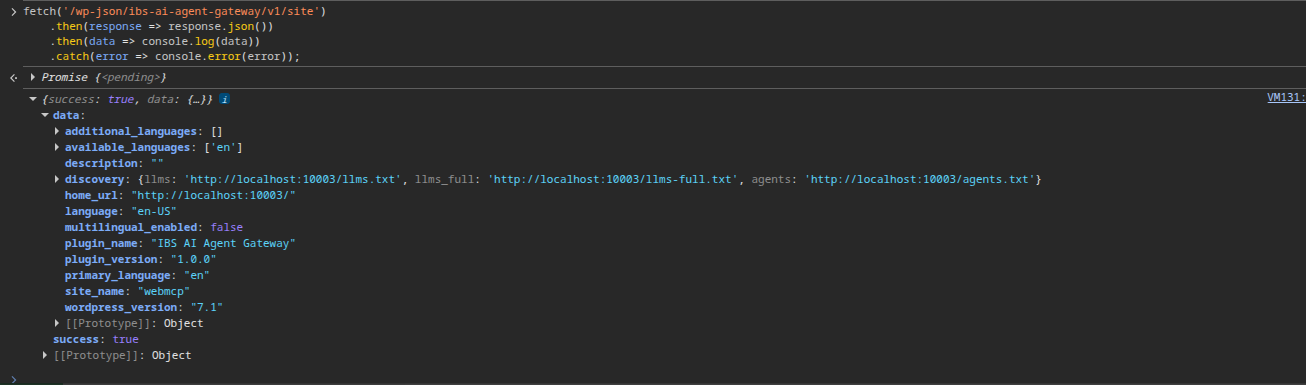
fetch('/wp-json/ibs-ai-agent-gateway/v1/site')
.then(response => response.json())
.then(data => console.log(data))
.catch(error => console.error(error));
3. Test /context
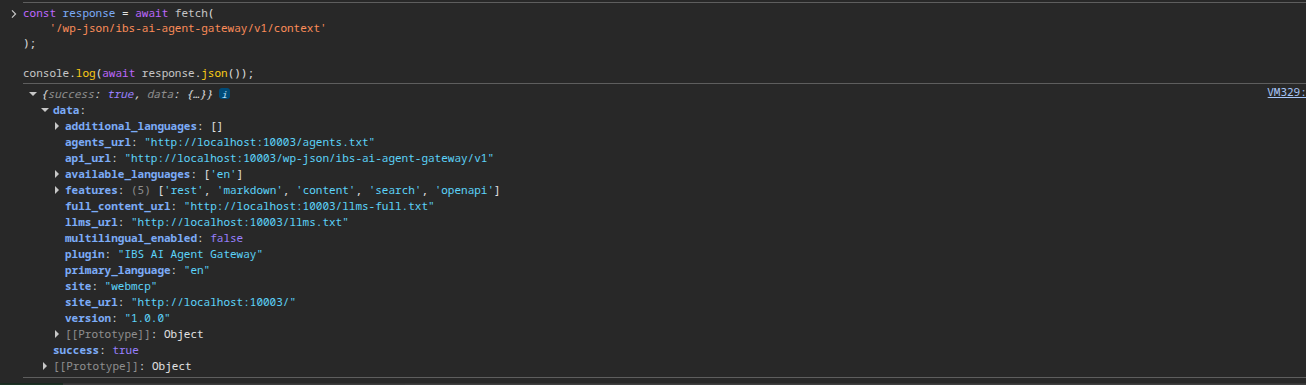
const response = await fetch(
'/wp-json/ibs-ai-agent-gateway/v1/context'
);
console.log(await response.json());
4. Test /content
If Content Endpoint is enabled:
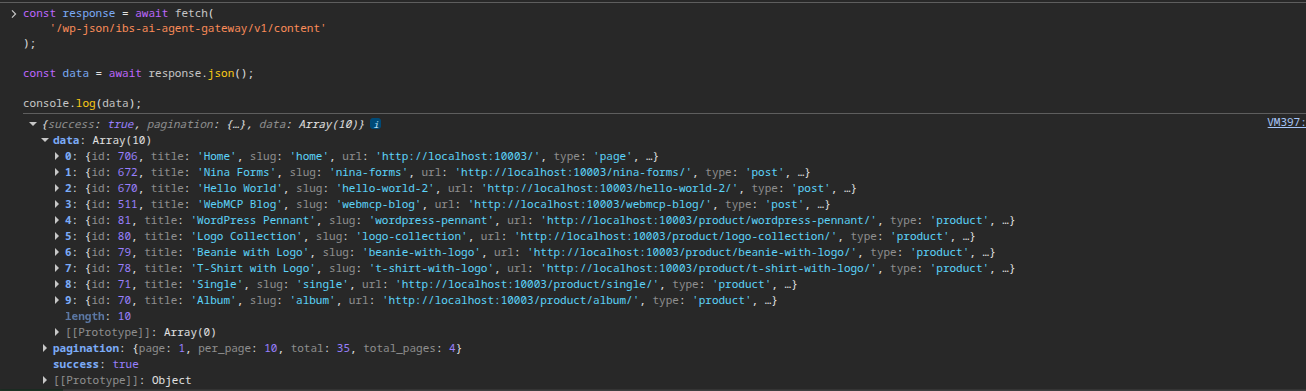
const response = await fetch(
'/wp-json/ibs-ai-agent-gateway/v1/content'
);
const data = await response.json();
console.log(data);
Test pagination
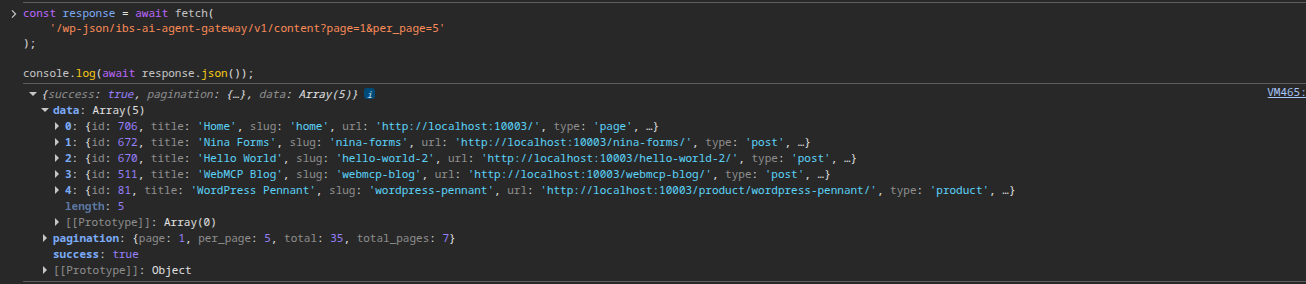
const response = await fetch(
'/wp-json/ibs-ai-agent-gateway/v1/content?page=1&per_page=5'
);
console.log(await response.json());
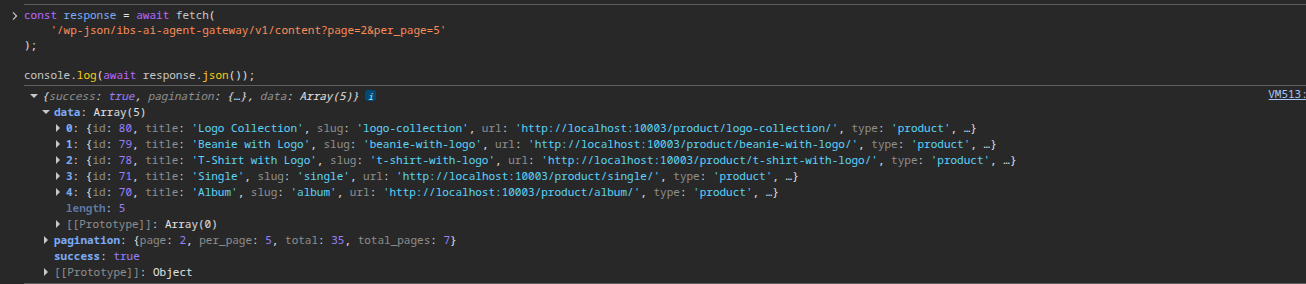
Test a different page:
const response = await fetch(
'/wp-json/ibs-ai-agent-gateway/v1/content?page=2&per_page=5'
);
console.log(await response.json());
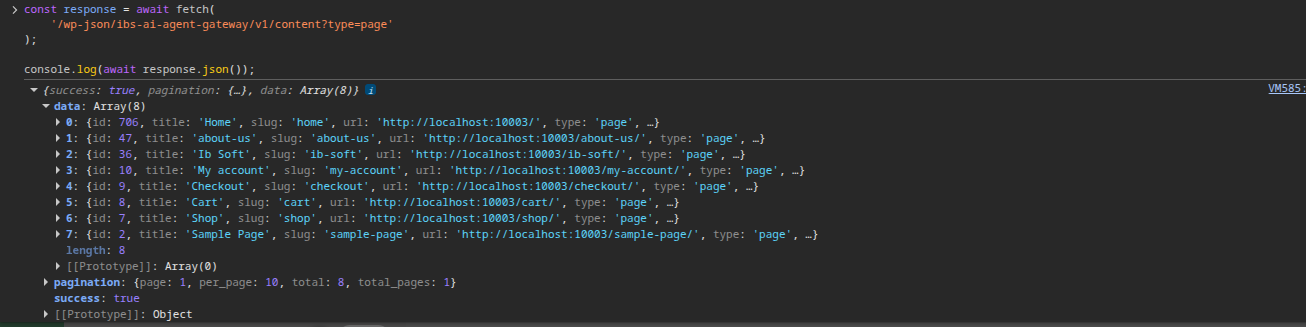
Test content type
const response = await fetch(
'/wp-json/ibs-ai-agent-gateway/v1/content?type=page'
);
console.log(await response.json());
You can also test:
?type=post
Test Markdown format
const response = await fetch(
'/wp-json/ibs-ai-agent-gateway/v1/content?format=markdown'
);
const data = await response.json();
console.log(data);
5. Test /content/{id}
First get a real ID:
const response = await fetch(
'/wp-json/ibs-ai-agent-gateway/v1/content'
);
const data = await response.json();
console.log(data.data[0]);
Suppose the first result has: 706
const response = await fetch(
'/wp-json/ibs-ai-agent-gateway/v1/content/706'
);
console.log(await response.json());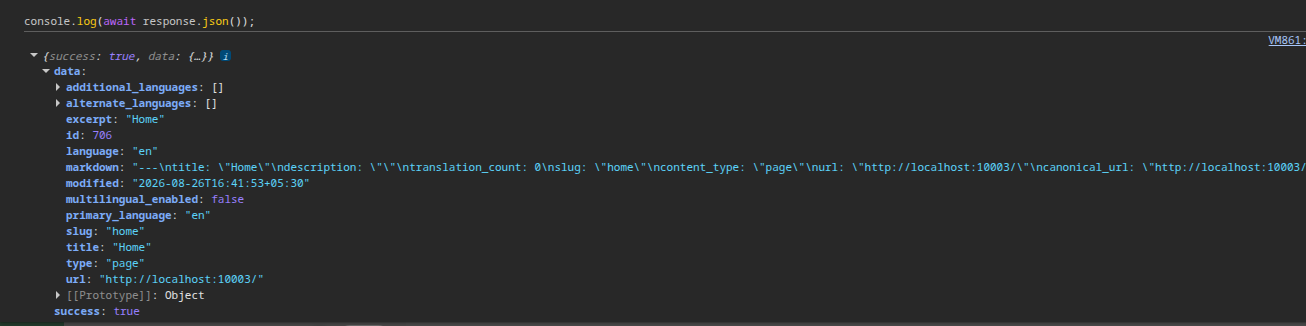
6. Test /search
const response = await fetch(
'/wp-json/ibs-ai-agent-gateway/v1/search?q=wordpress'
);
console.log(await response.json());
7. Test /markdown
This endpoint requires exactly one of:
- id
- slug
- url
Test by ID
const response = await fetch(
'/wp-json/ibs-ai-agent-gateway/v1/markdown?id=123'
);
console.log(await response.json());
Replace 123 with a real published content ID.
Test by slug
const response = await fetch(
'/wp-json/ibs-ai-agent-gateway/v1/markdown?slug=sample-page'
);
console.log(await response.json());
Test by URL
const pageUrl = `${location.origin}/sample-page/`;
const response = await fetch(
`/wp-json/ibs-ai-agent-gateway/v1/markdown?url=${encodeURIComponent(pageUrl)}`
);
console.log(await response.json());
8. Content Negotiation
const response = await fetch(location.href, {
headers: {
'Accept': 'text/markdown'
}
});
const markdown = await response.text();
console.log(markdown);
9. HEAD request
const response = await fetch(location.href, {
method: 'HEAD',
headers: {
'Accept': 'text/markdown'
}
});
console.log({
status: response.status,
contentType: response.headers.get('Content-Type'),
contentLanguage: response.headers.get('Content-Language'),
contentSignal: response.headers.get('Content-Signal'),
markdownTokens: response.headers.get('X-Markdown-Tokens')
});
10. Content Signals
const response = await fetch(location.href, {
headers: {
'Accept': 'text/markdown'
}
});
console.log(
response.headers.get('Content-Signal')
);
11. Language
const response = await fetch(location.href, {
headers: {
'Accept': 'text/markdown'
}
});
console.log(
response.headers.get('Content-Language')
);
12. llms.txt
const response = await fetch('/llms.txt');
console.log({
status: response.status,
contentType: response.headers.get('Content-Type')
});
console.log(await response.text());
13. llms-full.txt
const response = await fetch('/llms-full.txt');
console.log({
status: response.status,
contentType: response.headers.get('Content-Type')
});
const text = await response.text();
console.log(text);
14. agents.txt
const response = await fetch('/agents.txt');
console.log({
status: response.status,
contentType: response.headers.get('Content-Type')
});
console.log(await response.text());
15. /openapi
const response = await fetch(
'/wp-json/ibs-ai-agent-gateway/v1/openapi'
);
const data = await response.json();
console.log(data);