
The IBS AI Agent Gateway is a powerful WordPress plugin that makes your website ready for AI assistants, LLMs, and AI agents.
Instead of forcing AI systems to process complex HTML, CSS, JavaScript, page-builder markup, and other unnecessary website elements, the plugin provides your WordPress content in a clean, structured format that AI applications can easily understand and process.
It creates an AI-friendly gateway for your website, allowing compatible AI agents to discover, search, and retrieve your posts, pages, custom post types, and WooCommerce products through structured REST APIs and Markdown.
Your website continues to work normally for human visitors. The plugin only provides the AI-friendly representation when an AI client explicitly requests it.
Enable or Disable Tools
1. Access the IBS AI Agent Gateway settings by going to Settings → IBS AI Agent Gateway in your WordPress Dashboard.
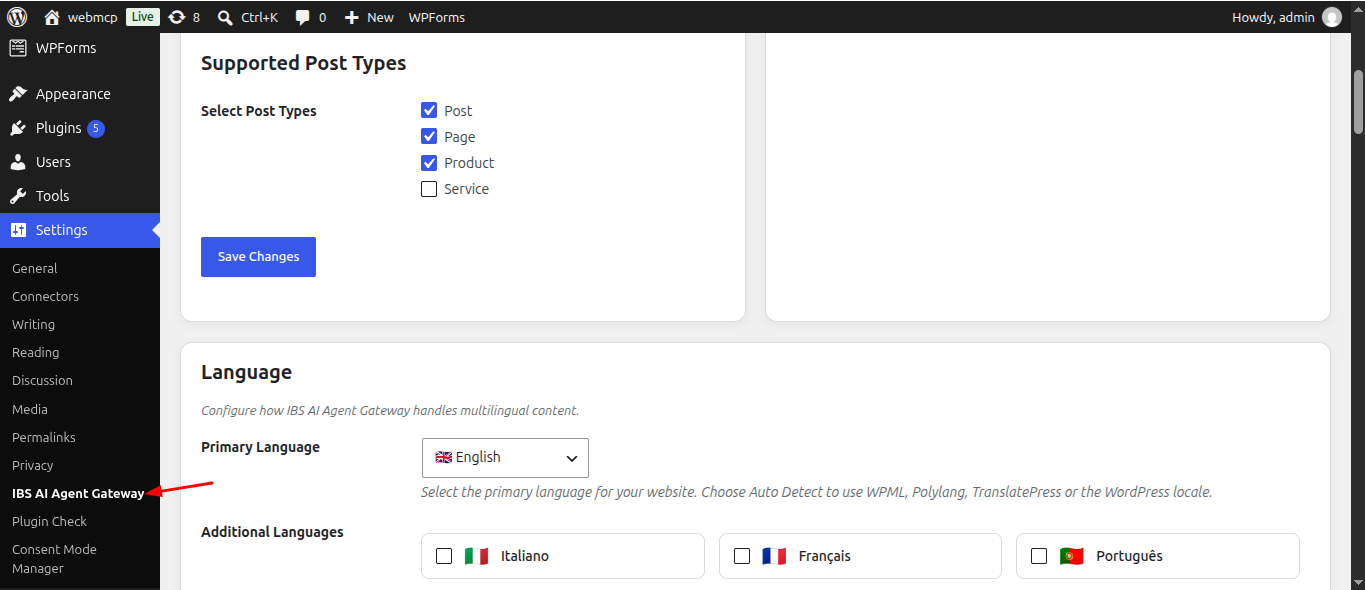
2. Select or clear the checkbox next to each tool to enable or disable it, then click Save Changes to apply your updates.
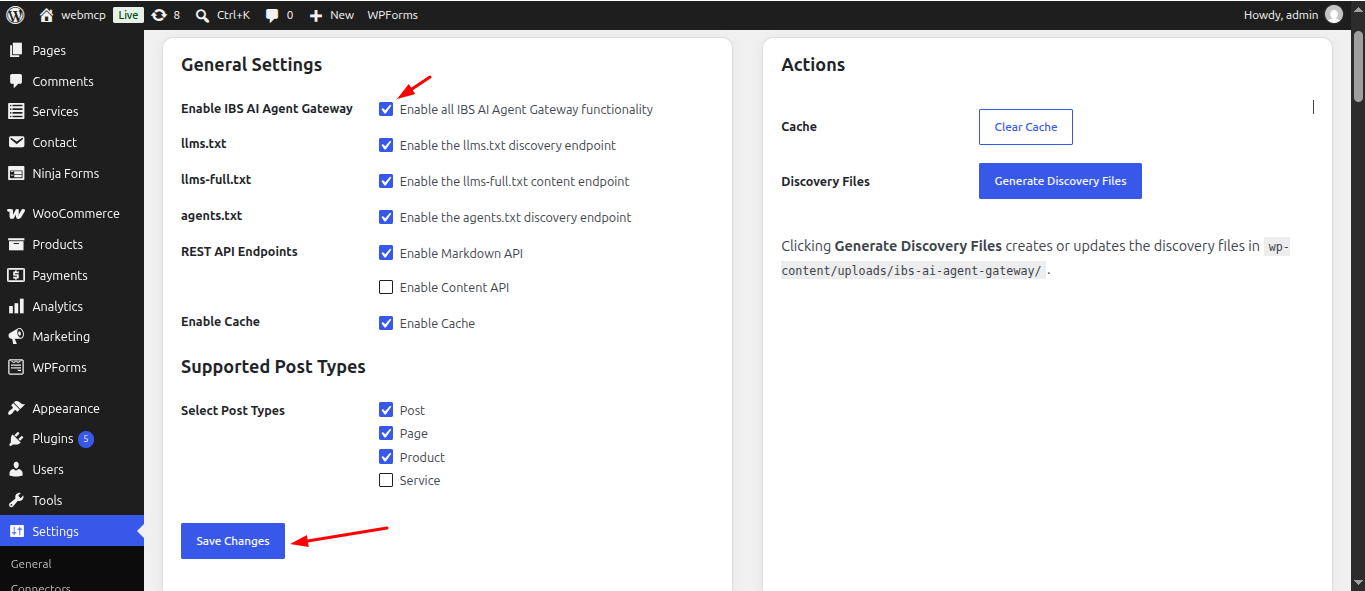
Clear Cache
Click Clear Cache to remove the plugin’s currently cached data.
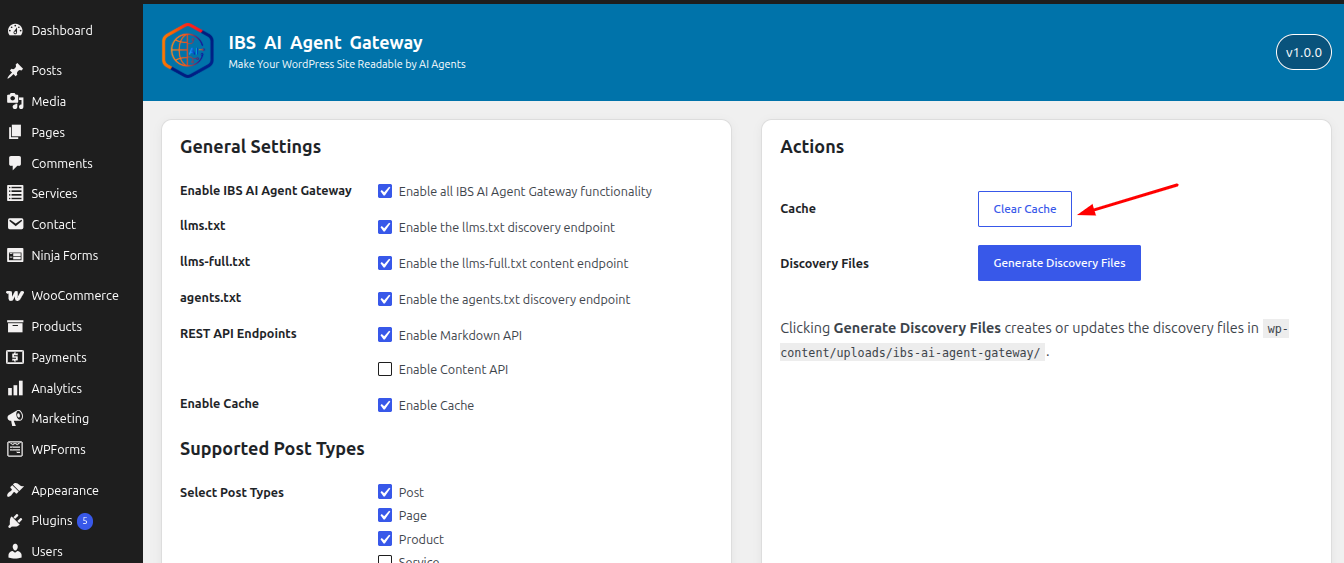
Generate Discovery Files
Click Generate Discovery Files to create or update the AI discovery files used by the plugin.
These files are generated in:
wp-content/uploads/ibs-ai-agent-gateway/
The discovery files provide AI agents with information about your website and its available content, helping them understand and discover the resources exposed by the IBS AI Agent Gateway.
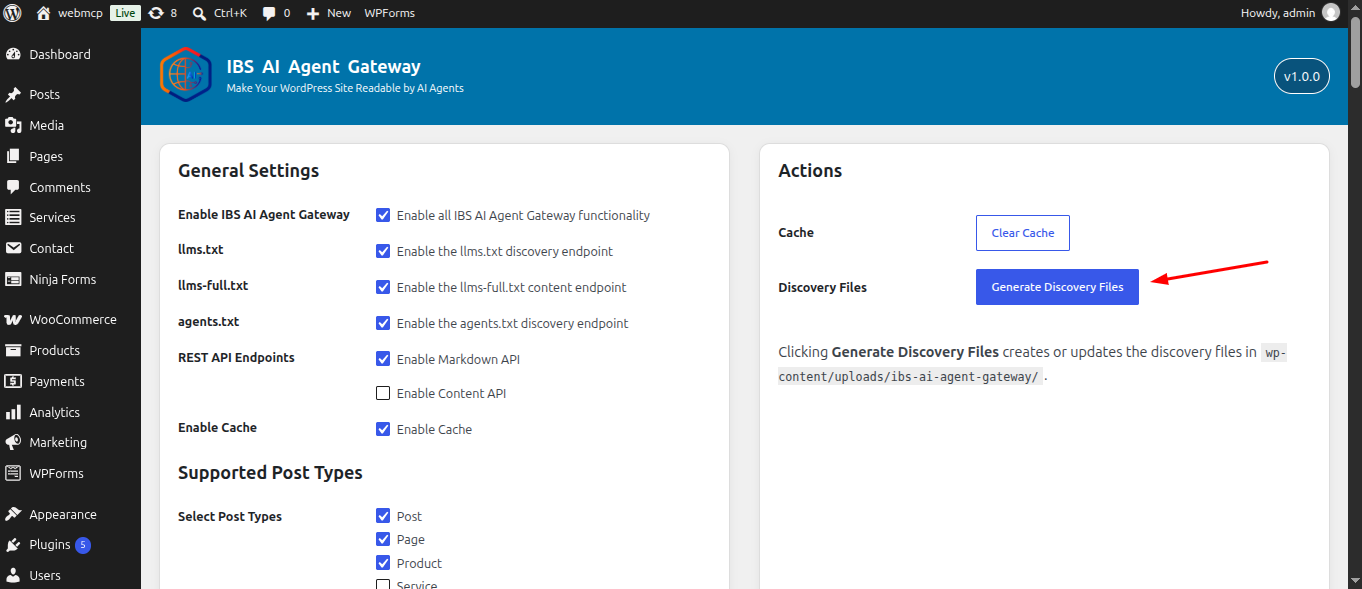
Language
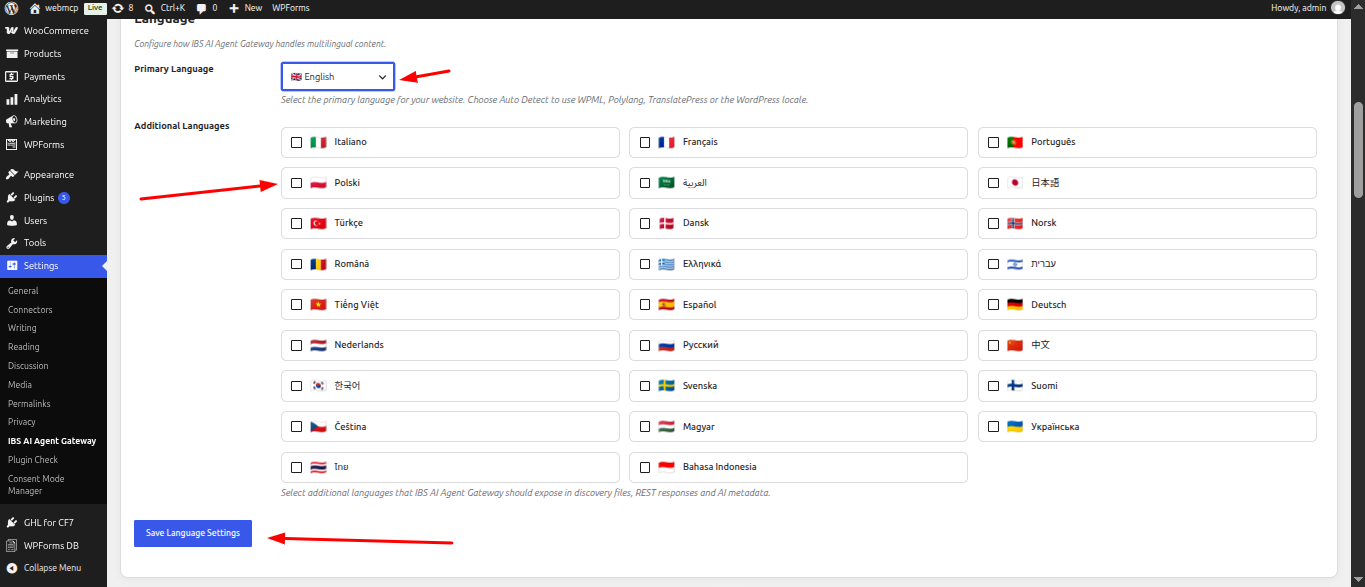
The Language settings allow you to configure how IBS AI Agent Gateway handles multilingual content and determines which languages are available to AI agents.
Primary Language
Select the Primary Language of your website.
You can either select a specific language or choose Auto Detect. When Auto Detect is enabled, the plugin automatically determines the site's primary language using available multilingual plugins such as WPML, Polylang, or TranslatePress, or falls back to the WordPress site locale.
The selected primary language is used when generating AI metadata, discovery information, and content responses.
Additional Languages
Select any Additional Languages that you want IBS AI Agent Gateway to expose to AI agents.
Advanced agents.txt Rules
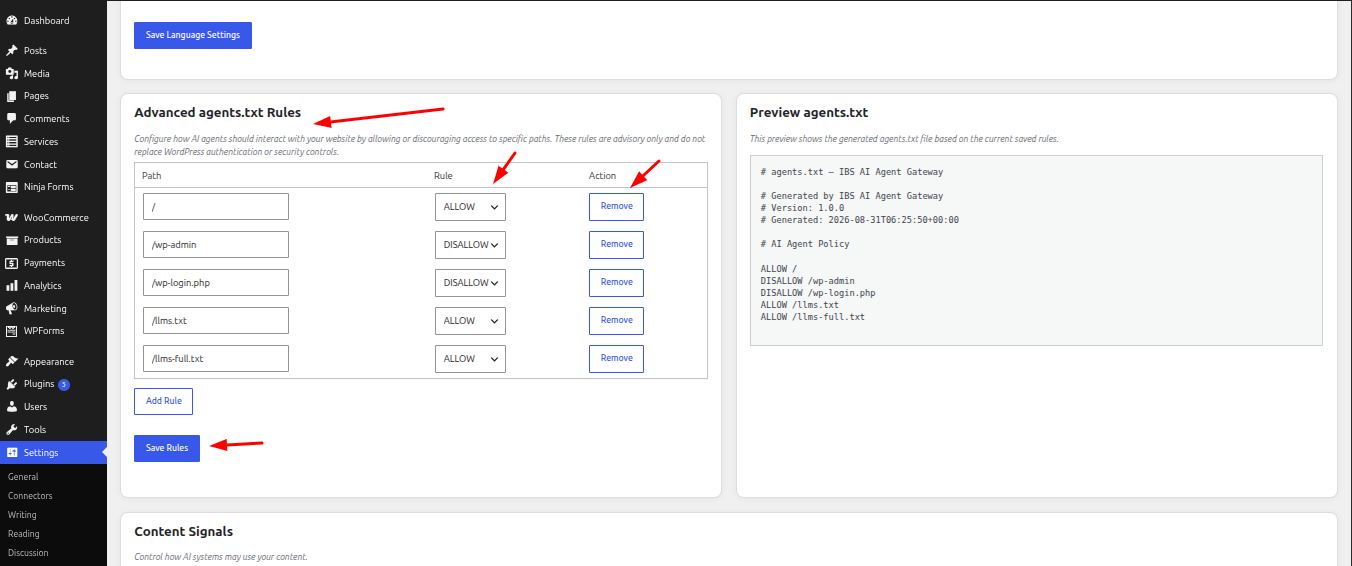
The Advanced agents.txt Rules section allows you to define how AI agents should interact with specific paths on your website.
These rules are used to generate the agents.txt file and provide advisory instructions to AI agents about which website paths they should or should not access. These rules do not replace WordPress authentication, permissions, firewalls, or other security controls.
Path
Enter the website path that you want to create a rule for.
For example:
- / - Your entire website
- /wp-admin - WordPress administration area
- /wp-login.php - WordPress login page
- /llms.txt - AI discovery file
- /llms-full.txt - Full AI content discovery file
Rule
Choose how AI agents should treat the specified path:
ALLOW
Indicates that AI agents are allowed to access or use the specified path.
DISALLOW
Indicates that AI agents should avoid accessing or using the specified path.
Note: These are advisory rules. They do not technically block access to a URL or provide security protection.
Add Rule
Click Add Rule to add a new path and define an ALLOW or DISALLOW instruction.
You can add multiple rules to customize the AI agent policy for different areas of your website.
Remove
Click Remove next to a rule to delete it from the list.
Save Rules
After adding or modifying rules, click Save Rules to save your configuration.
The saved rules are then used when generating the agents.txt file.
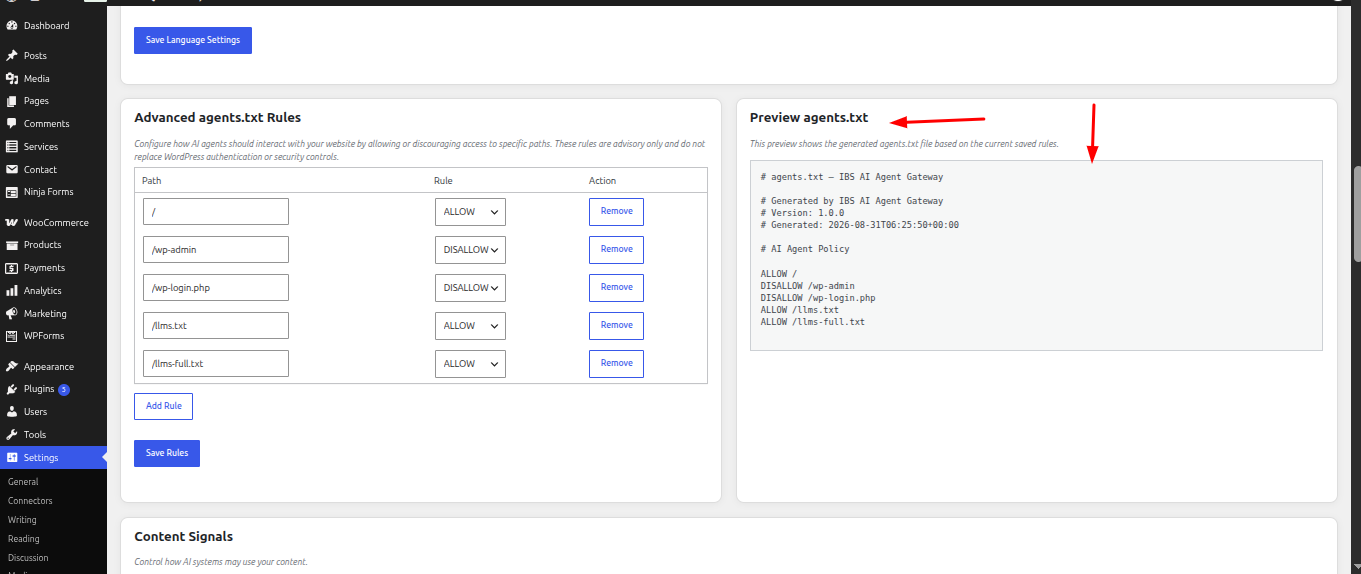
Preview agents.txt
The Preview agents.txt panel displays the generated agents.txt content based on your currently saved rules.
Yes. I checked both the screenshot and the plugin code. The documentation should make it clear that Content Signals are instructions communicated to AI systems through the Content-Signal HTTP header and that the three settings control different types of content usage.
Content Signals
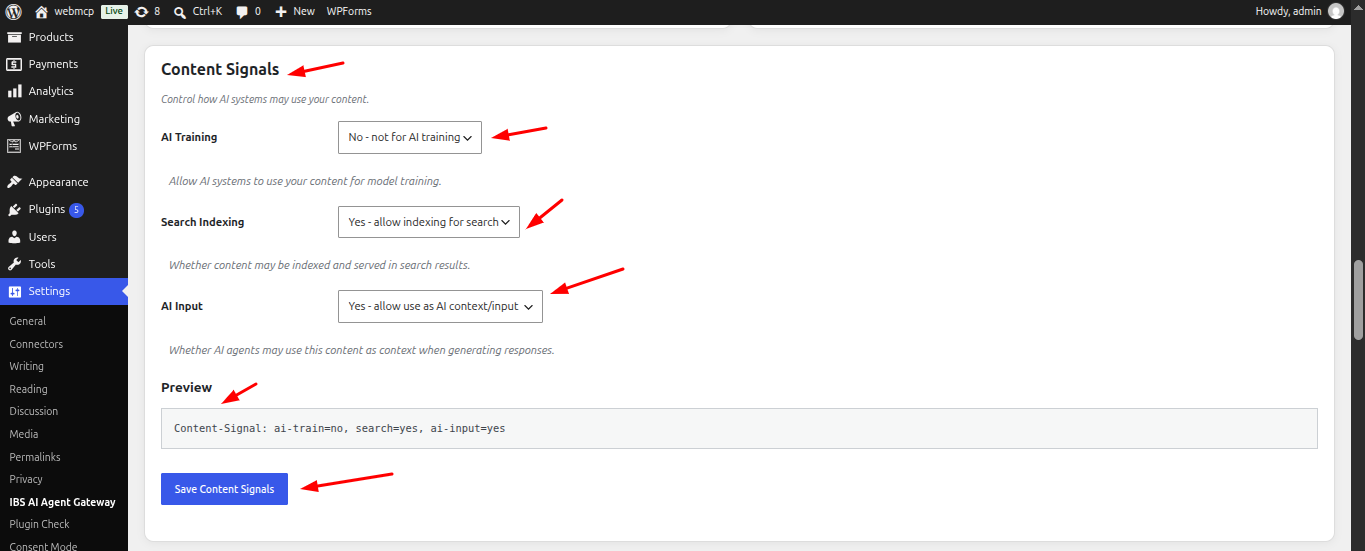
The Content Signals section allows you to control how AI systems may use your website content.
IBS AI Agent Gateway adds your selected preferences to the Content-Signal header of AI-friendly content responses. These signals communicate whether your content may be used for AI training, search indexing, and AI-generated responses.
AI Training
Controls whether AI systems may use your content for model training.
Options:
Yes – allow AI training - Indicates that your content may be used for AI model training.
No – not for AI training - Indicates that your content should not be used for AI model training.
The default setting is No.
Search Indexing
Controls whether your content may be indexed and served in search results.
Options:
Yes – allow indexing for search - Allows your content to be used for search indexing and search results.
No – do not index for search - Indicates that your content should not be indexed for search.
The default setting is Yes.
AI Input
Controls whether AI agents may use your content as context or input when generating responses.
Options:
Yes – allow use as AI context/input - Allows AI systems to use your content as context when generating responses.
No – do not use as AI context/input - Indicates that your content should not be used as AI context or input.
The default setting is Yes.
Preview
The Preview section displays the current Content Signal configuration that will be sent with AI-friendly content.
Save Content Signals
After changing any of the settings, click Save Content Signals to save your preferences.
Quick Links
The Quick Links section provides quick access to the URLs exposed by IBS AI Agent Gateway. These links can be used to view discovery files, test REST API endpoints, or copy endpoint URLs for use with AI agents and external integrations.
Each endpoint displays its current Status and provides an Open and Copy action when the endpoint is available.
Endpoint Status
The status indicates whether an endpoint is currently available.
Enabled - The endpoint is active and can be accessed.
Disabled - The endpoint is not currently enabled based on the plugin configuration.
Unavailable - The endpoint cannot be opened or copied until the required feature is enabled.
Available Endpoints
| Endpoint | Description |
|---|---|
| /llms.txt | Provides an index of website content for AI agents. |
| /llms-full.txt | Provides a complete Markdown export of the available content. |
| /agents.txt | Defines the AI agent access policy for website paths. |
| /wp-json/ibs-ai-agent-gateway/v1/site | Provides website metadata and AI Gateway information. |
| /wp-json/ibs-ai-agent-gateway/v1/content | Provides access to published WordPress content. |
| /wp-json/ibs-ai-agent-gateway/v1/search | Searches published website content using keywords. |
| /wp-json/ibs-ai-agent-gateway/v1/context | Provides AI-oriented context information about the website. |
| /wp-json/ibs-ai-agent-gateway/v1/markdown | Provides Markdown-formatted content for AI agents and integrations. |
| /wp-json/ibs-ai-agent-gateway/v1/openapi | Provides the OpenAPI schema describing the available API endpoints. |
The plugin's REST API uses the ibs-ai-agent-gateway/v1 namespace. The content and search endpoints can be enabled or disabled through the plugin settings, while the OpenAPI endpoint is available when the required content or Markdown functionality is enabled.
Open
Click Open to open the selected endpoint in a new browser tab.
Copy
Click Copy to copy the endpoint URL to your clipboard.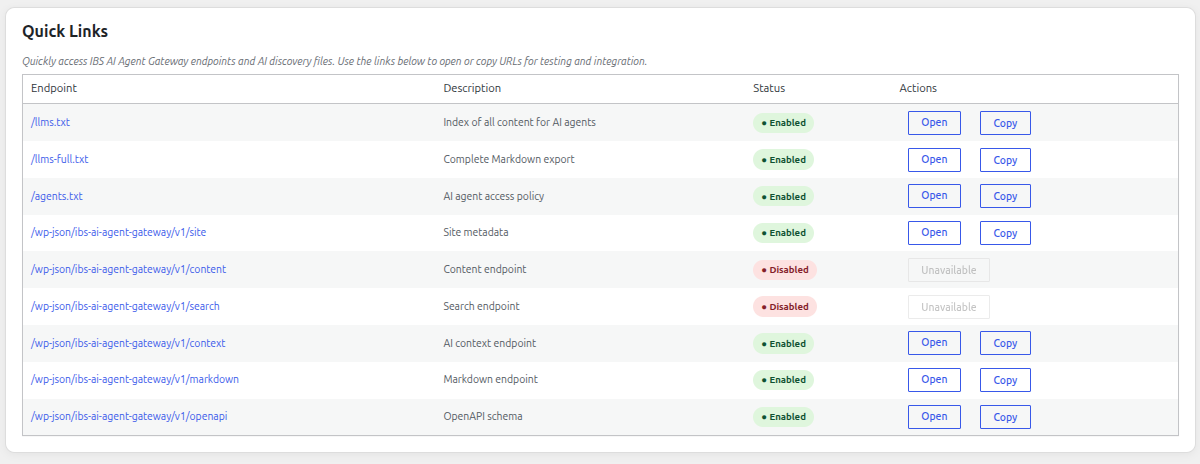
API Playground
The API Playground provides ready-to-use examples for the endpoints exposed by IBS AI Agent Gateway.
It helps developers understand how to access the gateway, retrieve WordPress content, search content, retrieve Markdown, access AI discovery files, and integrate the API into applications using Python or JavaScript.
Each example includes the relevant endpoint, request method, authentication requirements, parameters, and sample code where applicable. Code examples can be copied directly using the Copy button.
API Playground Tabs
The API Playground includes the following tabs:
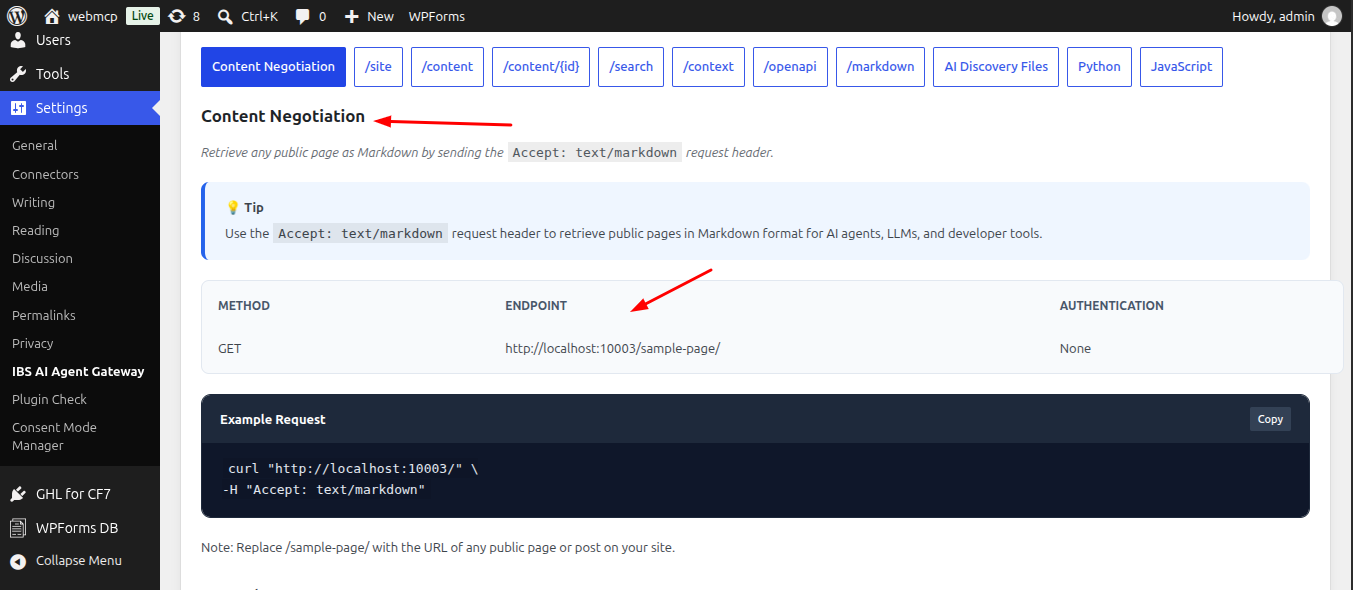
Content Negotiation
Demonstrates how to request any public WordPress page or post as AI-friendly Markdown using HTTP Content Negotiation.
The request uses:
Accept: text/markdown
This allows compatible clients to request Markdown instead of the normal HTML representation.
The tab also provides examples for:
- GET requests
- HEAD requests to check Markdown availability
- Quality factors such as text/markdown;q=0.9
- Expected response headers
- Sample Markdown output
No authentication is required.
/site
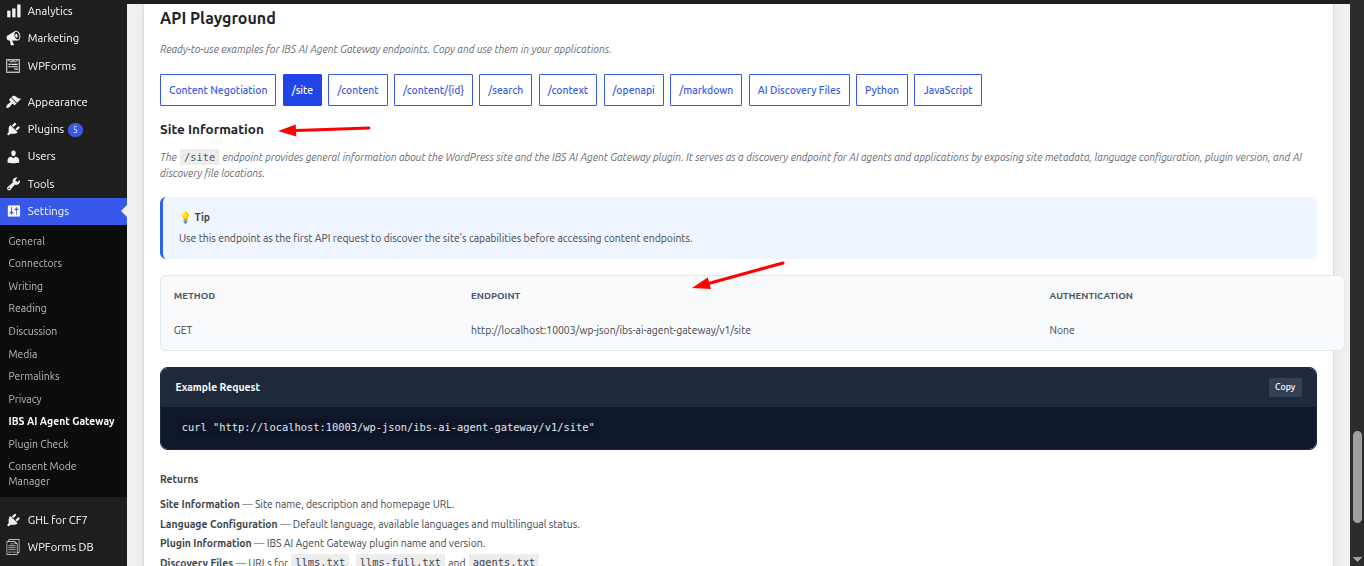
The Site endpoint provides general information about the website and IBS AI Agent Gateway.
It can be used as a starting point for an AI agent or application to discover the site's configuration and available resources.
It provides information such as:
- Site name
- Site description
- Homepage URL
- Default language
- Available languages
- Multilingual status
- Plugin name and version
- AI discovery file URLs
Method: GET
Authentication: None
/content
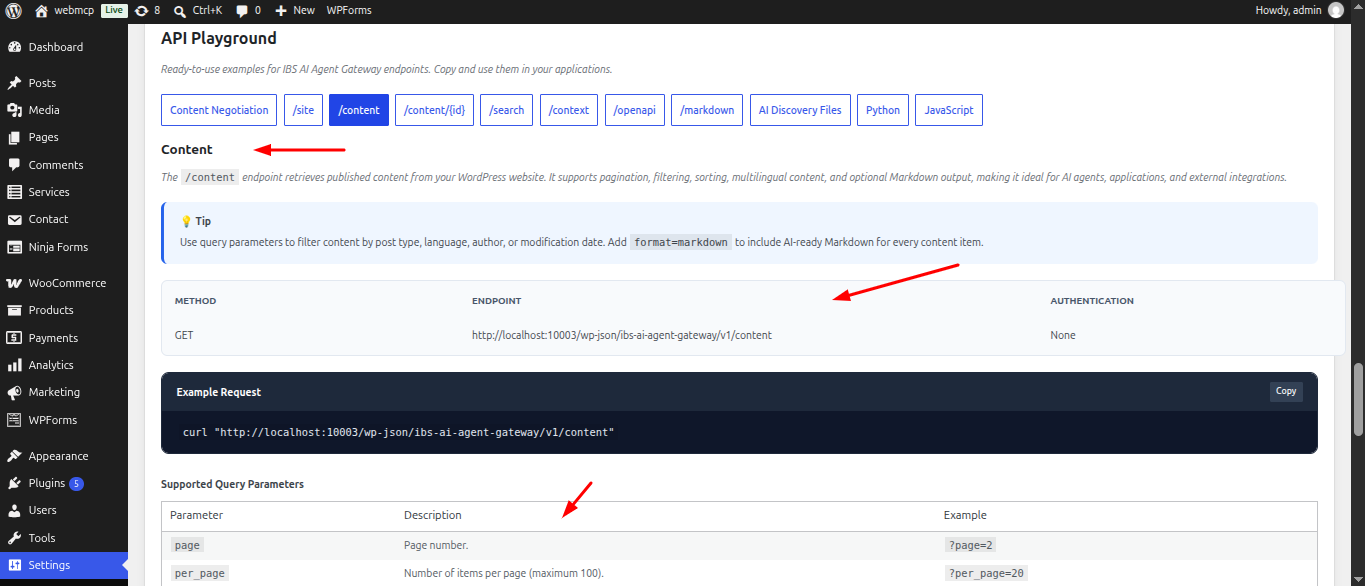
The Content endpoint provides structured access to published WordPress content.
It supports query parameters for filtering and controlling the returned content.
Examples include:
GET /wp-json/ibs-ai-agent-gateway/v1/content
GET /wp-json/ibs-ai-agent-gateway/v1/content?page=2&per_page=20
GET /wp-json/ibs-ai-agent-gateway/v1/content?type=page
GET /wp-json/ibs-ai-agent-gateway/v1/content?language=en
GET /wp-json/ibs-ai-agent-gateway/v1/content?format=markdown
The response can include content metadata, language information, translations, pagination information, and an AI-ready Markdown representation when requested.
/content/{id}
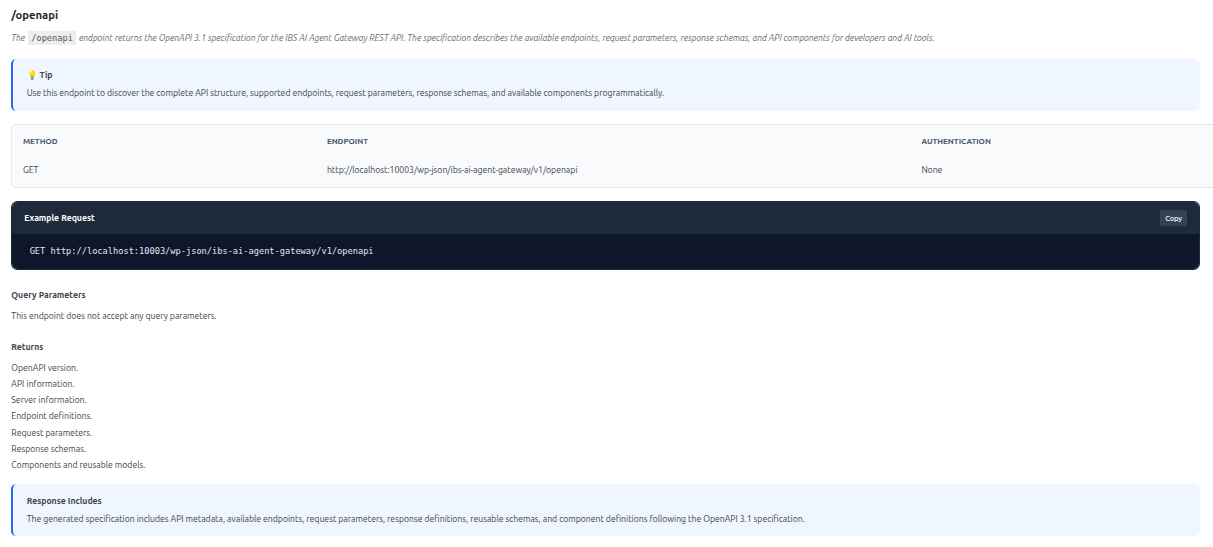
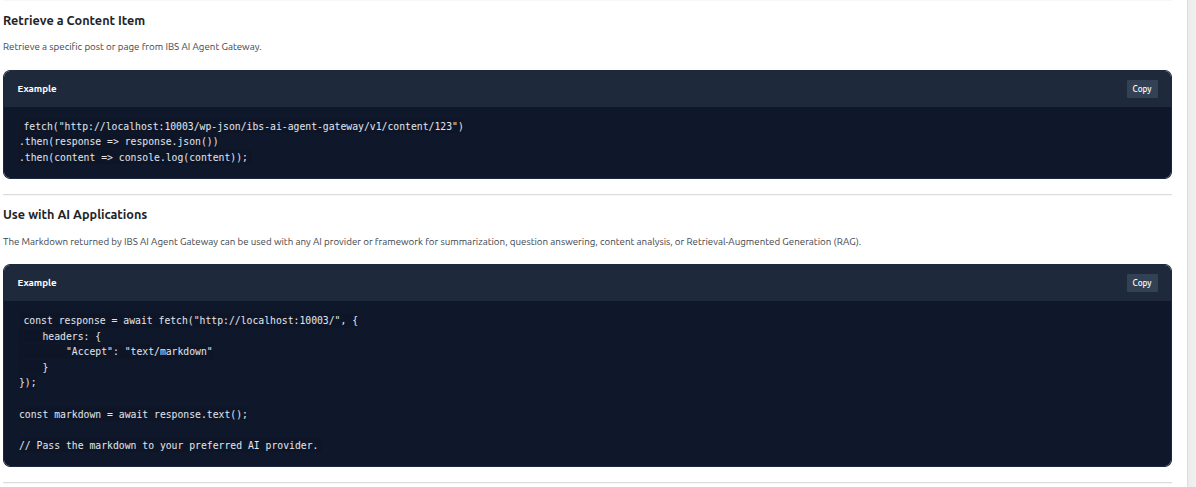
The Content by ID endpoint retrieves a specific piece of published content using its WordPress content ID.
Example:
GET /wp-json/ibs-ai-agent-gateway/v1/content/123
The response can include:
- Content ID
- Title
- Slug
- Permalink
- Content type
- Last modified date
- Excerpt
- Language
- Available translations
- AI-ready Markdown content
Replace 123 with the ID of the content you want to retrieve.
/search
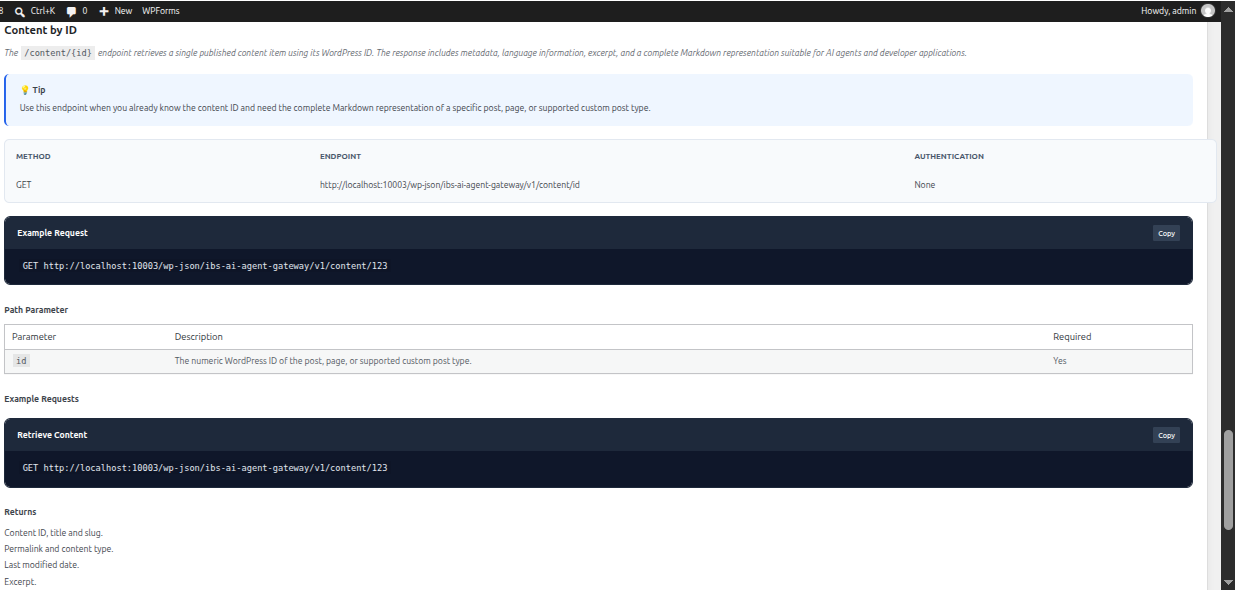
The Search endpoint allows applications and AI agents to search the site's published content.
A search query is provided using the q parameter.
Example:
GET /wp-json/ibs-ai-agent-gateway/v1/search?q=wordpress
You can also specify a language:
GET /wp-json/ibs-ai-agent-gateway/v1/search?q=wordpress&language=en
Search results can include:
- Content ID
- Title
- Slug
- Permalink
- Content type
- Language
- Available translations
- Last modified date
- Excerpt
/context
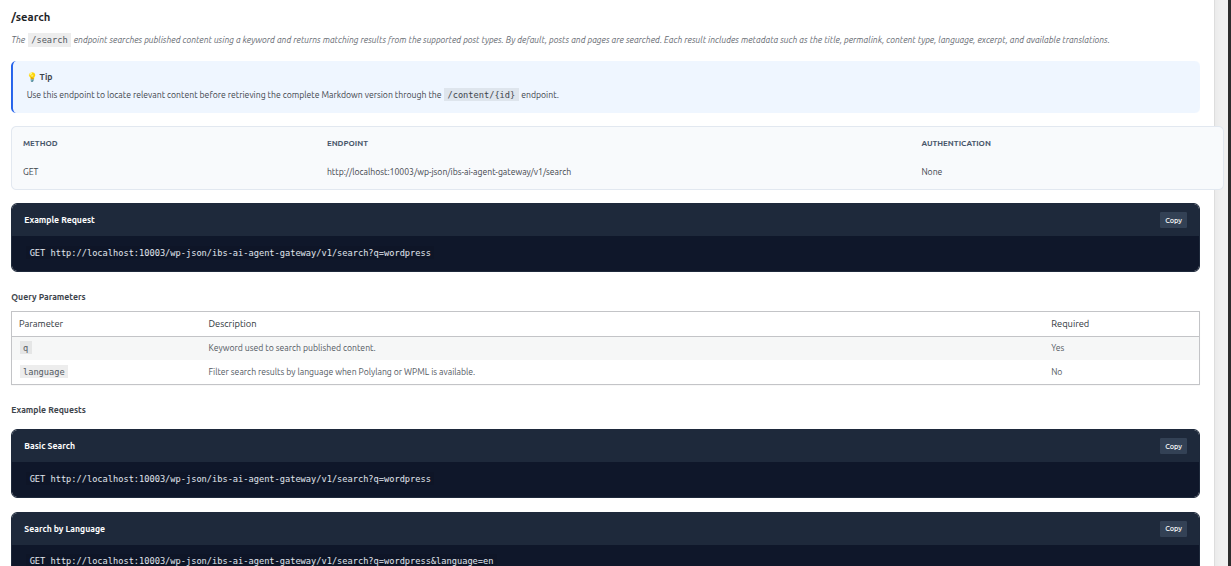
The Context endpoint provides AI-oriented information about the website and the capabilities exposed by IBS AI Agent Gateway.
It provides information such as:
- Site name and URL
- Default language
- Available languages
- Multilingual status
- Plugin name and version
- Discovery file URLs
- REST API base URL
- Supported gateway features
This endpoint can help an AI agent understand the website before requesting specific content.
/openapi
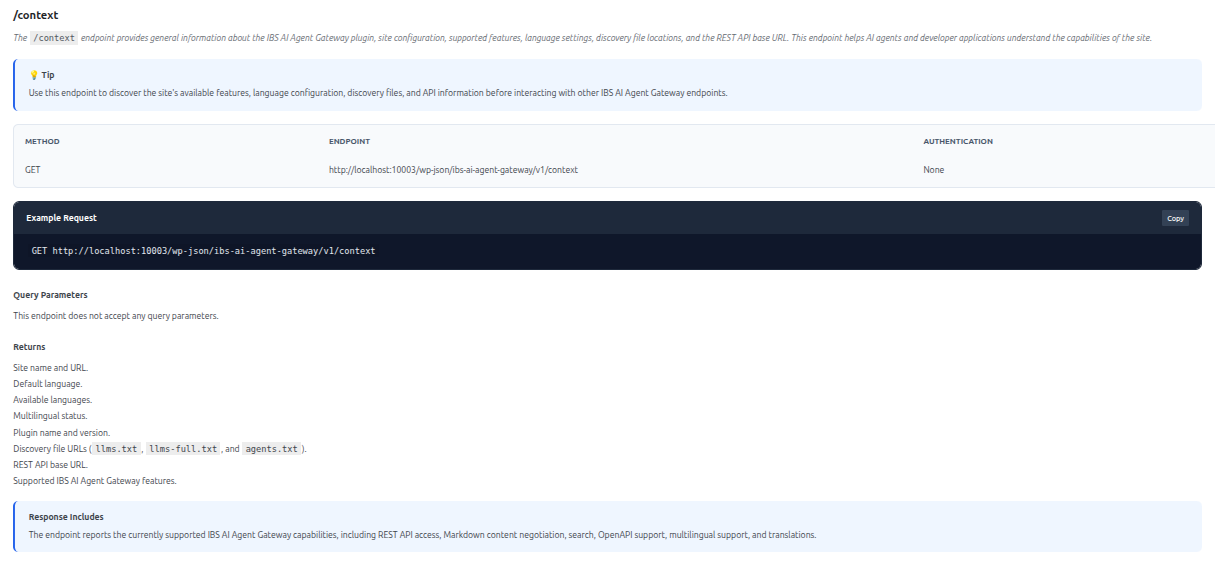
The OpenAPI endpoint provides a machine-readable description of the IBS AI Agent Gateway API.
Example:
GET /wp-json/ibs-ai-agent-gateway/v1/openapi
The OpenAPI document describes:
- API version
- API information
- Server information
- Available endpoints
- Request parameters
- Response schemas
- Reusable components and models
Developers can use this endpoint with API tools and applications that support the OpenAPI specification.
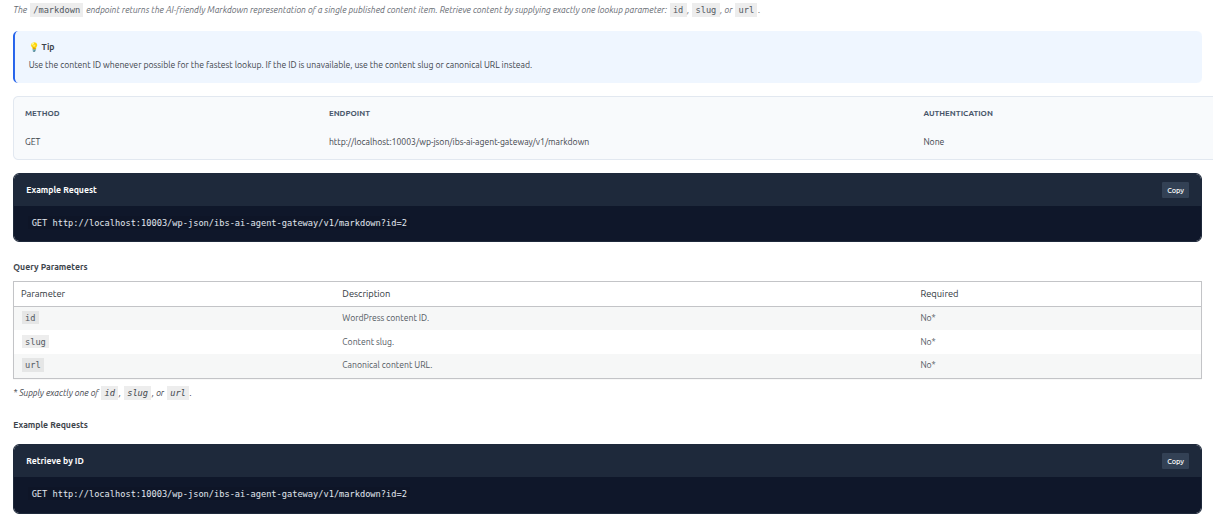
/markdown
The Markdown endpoint retrieves individual content in an AI-friendly Markdown format.
Content can be requested using different lookup methods, including:
- Content ID
- Slug
- URL
Examples:
GET /wp-json/ibs-ai-agent-gateway/v1/markdown?id=2
GET /wp-json/ibs-ai-agent-gateway/v1/markdown?slug=sample-page
The response includes information such as:
- Content ID
- Title
- Slug
- Canonical URL
- Complete AI-ready Markdown representation
A valid lookup parameter is required.
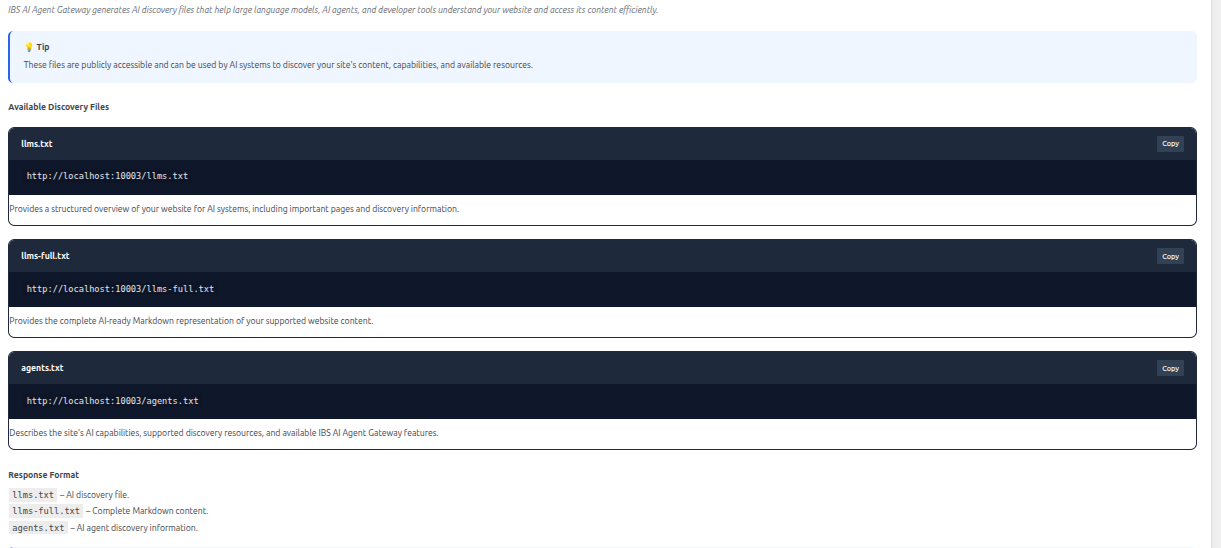
AI Discovery Files
The AI Discovery Files tab provides examples and information for the discovery files generated by IBS AI Agent Gateway.
The available files are:
- llms.txt - AI discovery and content index.
- llms-full.txt - Complete Markdown content export.
- agents.txt - AI agent discovery and access-policy information.
These files help AI agents discover the website and understand the content and resources available through the gateway.
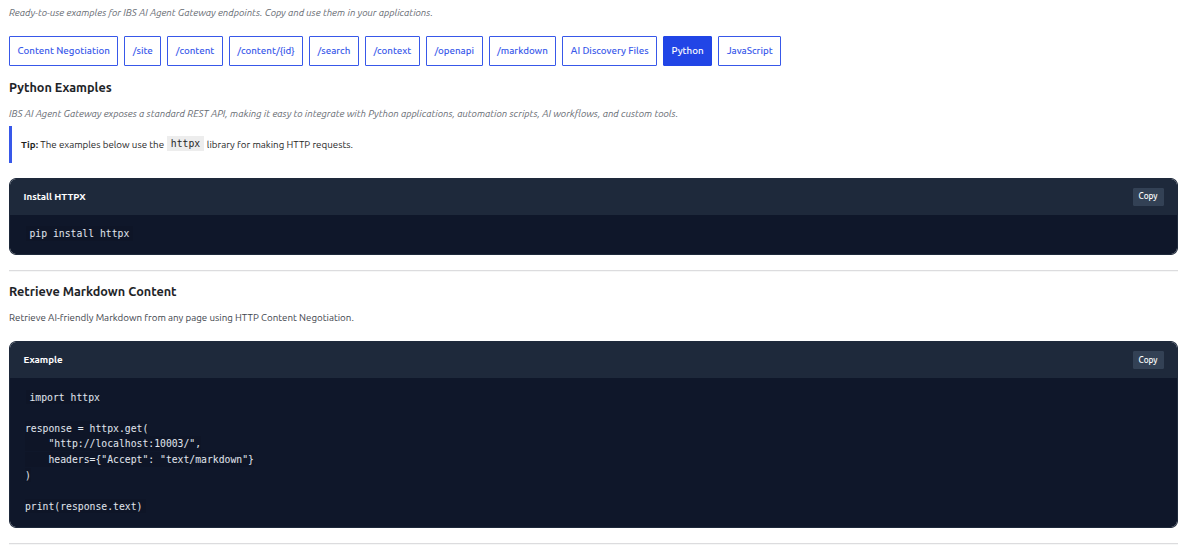
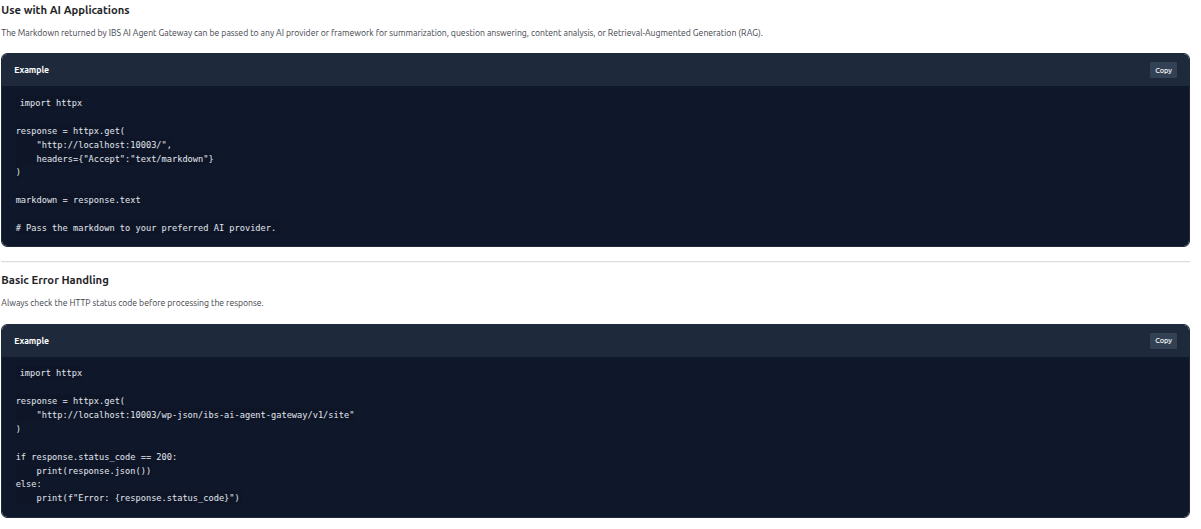
Python Examples
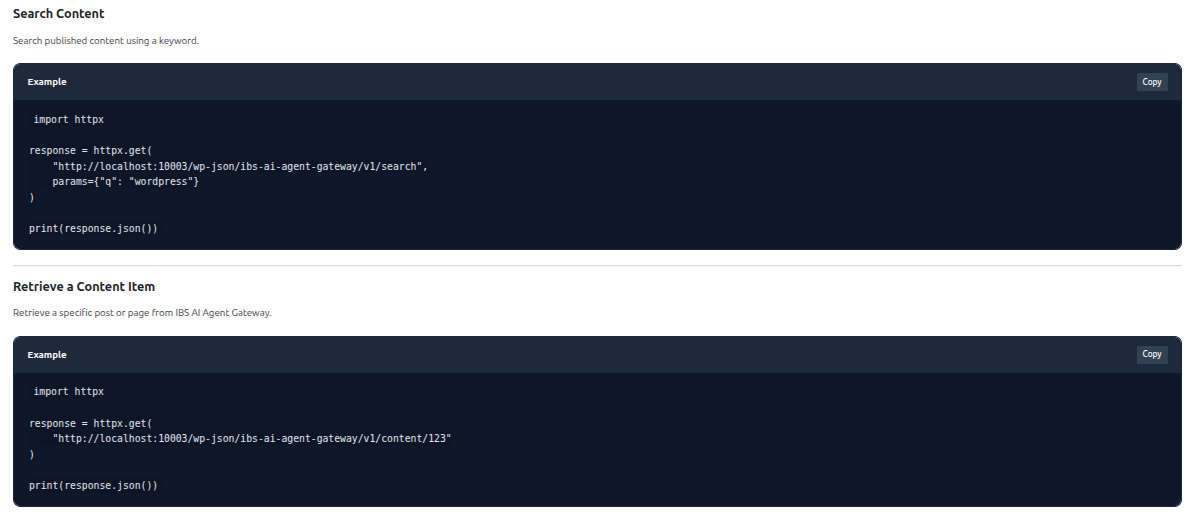
The Python tab provides ready-to-use Python examples using the httpx library.
Examples are provided for:
- Retrieving Markdown content
- Searching website content
- Retrieving a specific content item
- Using the gateway with AI applications
- Basic error handling
Developers can copy the examples and adapt them to their own Python applications.
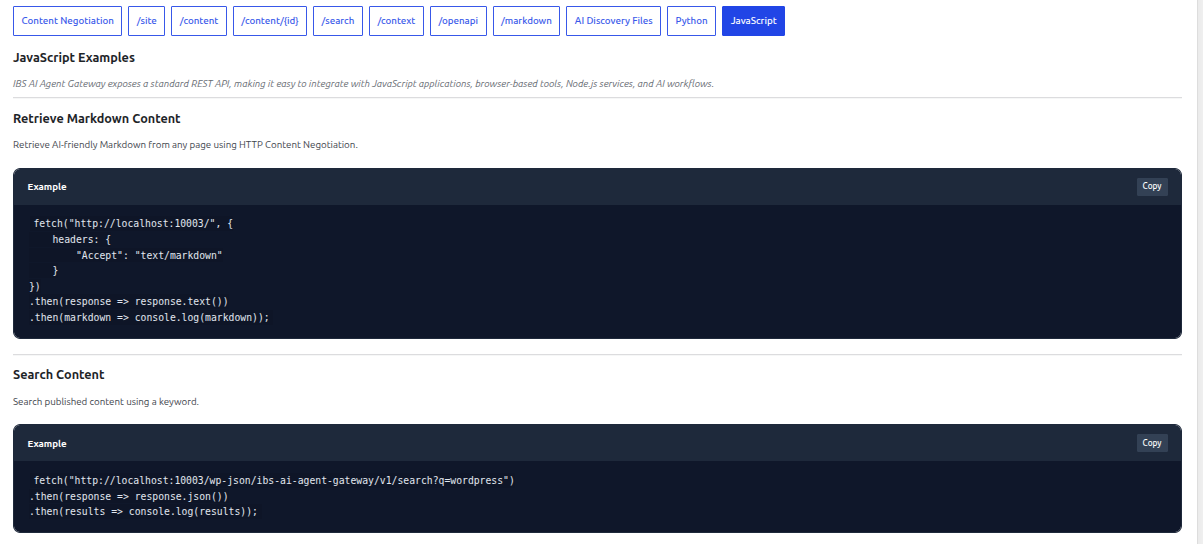
JavaScript Examples
The JavaScript tab provides examples for accessing IBS AI Agent Gateway from JavaScript applications.
The examples use the standard browser/JavaScript fetch() API.
Examples are provided for:
- Retrieving Markdown content
- Searching content
- Retrieving a content item
- Using the gateway with AI applications
For example:
fetch("https://example.com/", { headers: { "Accept": "text/markdown" } });
Replace https://example.com/ with the URL of the page you want to retrieve.
The JavaScript examples can be used in:
- Browser applications
- Front-end tools
- Node.js applications
- AI workflows
- Custom integrations
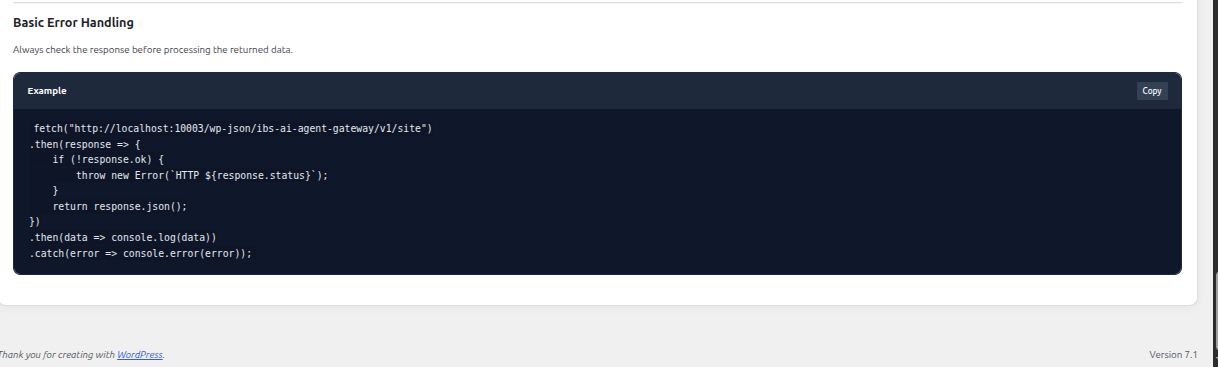
Copy Code
Each code example includes a Copy button.
Click Copy to copy the example code to your clipboard. You can then paste it directly into your development environment and modify it according to your requirements.