The WebMCPFY Gravity Forms is an add-on plugin that instantly makes your existing Gravity Forms accessible to AI assistants (like ChatGPT, Claude, and local browser AI).
Instead of forcing AI to guess how to fill out a web page, this plugin creates a strict blueprint (a "Tool Schema") for your forms. AI agents can read this blueprint, understand instantly what data is required, and securely submit it.
How to Setup the Plugin
Your forms are hidden from AI by default. Follow these steps to selectively expose a form:
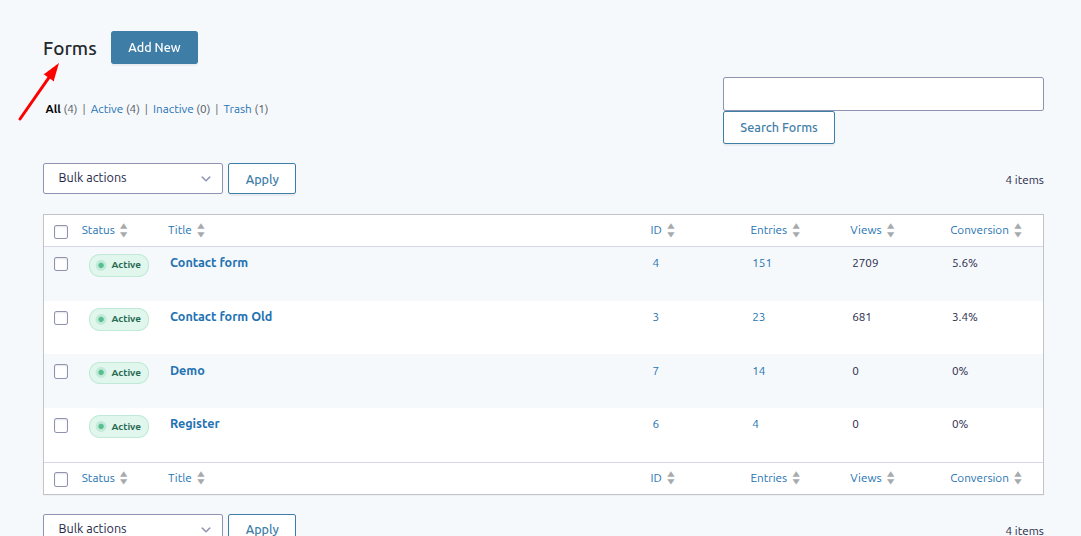
1. In your WordPress Admin Dashboard, go to Forms to view your Gravity Forms list.
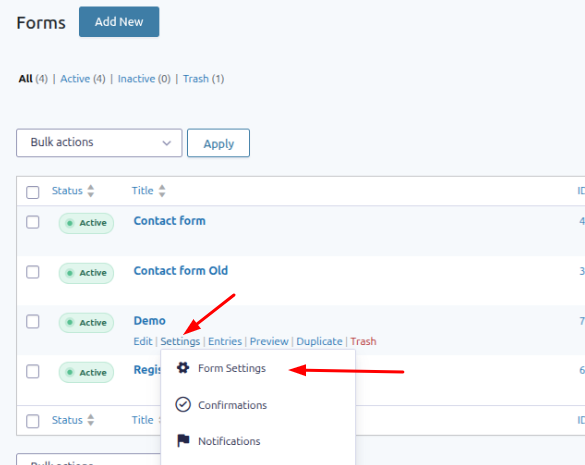
2. Hover your mouse over the specific form you want to expose, and click Settings.
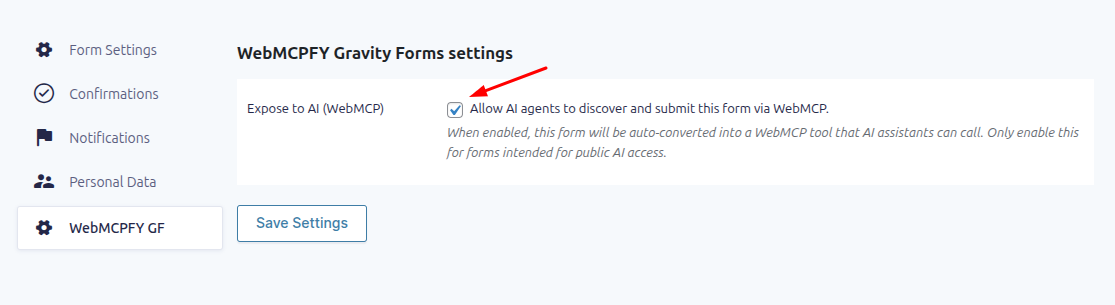
3. On the left-side menu of the form settings page, locate and click the new WebMCPFY GF tab.
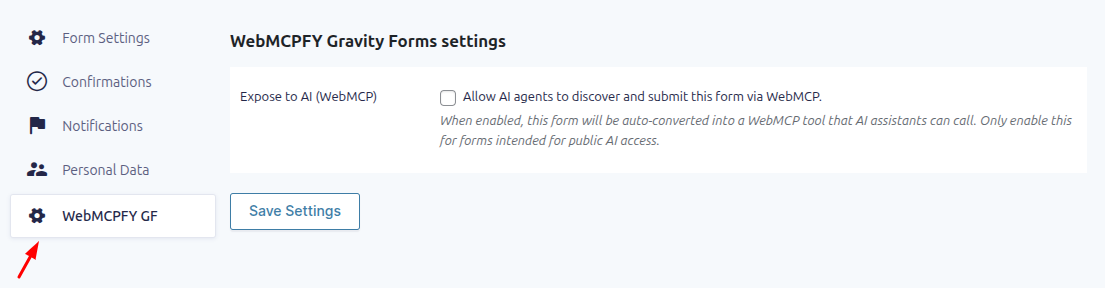
4. Check the box labeled "Expose to AI (WebMCP)".
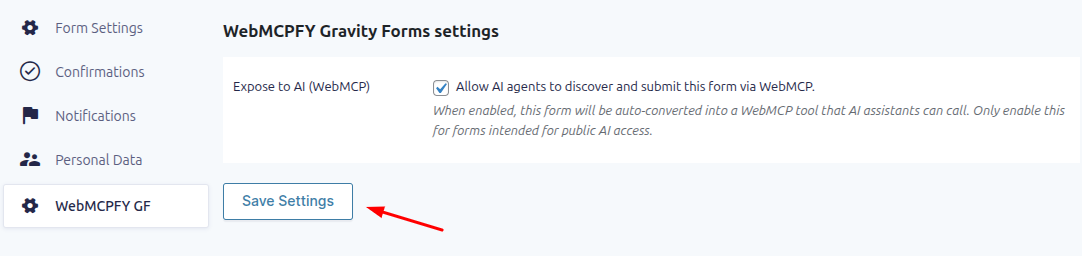
5. Click the Save Settings button.
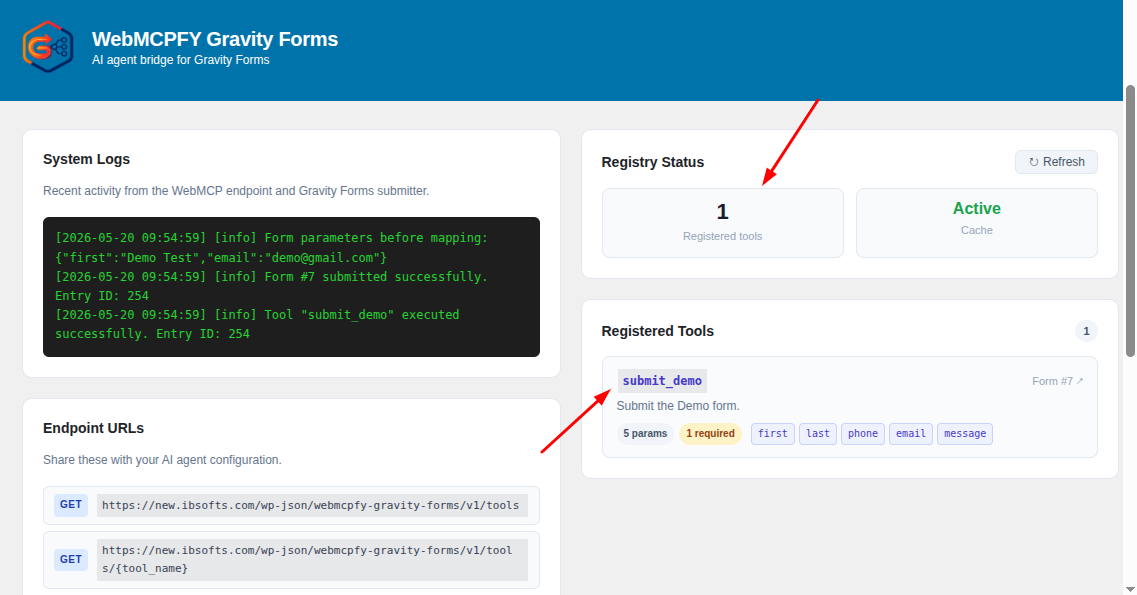
6. The form is now active! You can verify that it is connected by visiting the main WebMCPFY GF menu on your WordPress dashboard.
Supported Fields
Currently, the plugin safely supports transforming the following standard Gravity Forms field types into AI Tools:
- Name (Advanced Fields)
- Email (Advanced Fields)
- Phone (Advanced Fields)
- Paragraph Text (Textarea)
Important Security Feature
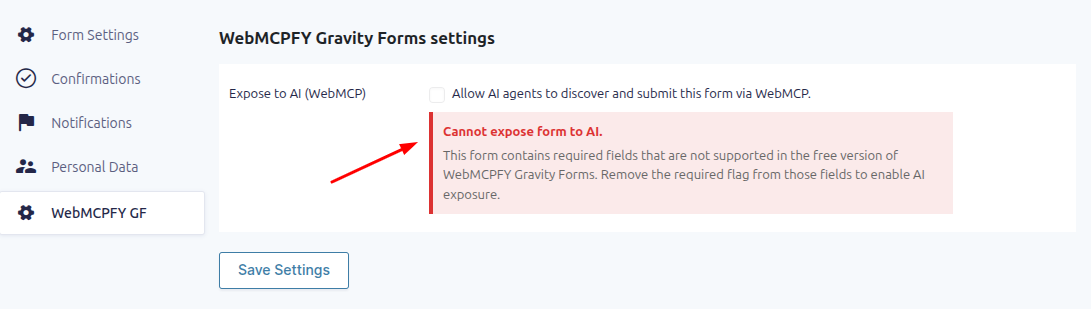
If you expose a form to AI, but that form contains unsupported complex fields (like Checkboxes, File Uploads, or Dropdowns) marked as Required, the plugin will automatically disable AI capability for that form. This is a built-in safety measure to prevent AI agents from failing to submit the form due to complex required data. To fix this, simply remove the "Required" flag from unsupported fields.