Installation
1. Prerequisites: Ensure that the Gravity Forms plugin is already installed and activated on your WordPress website.
2. Upload Plugin: In your WordPress Admin Dashboard, navigate to Plugins > Add New, and upload the webmcpfy-gravity-forms.zip file.

3. Activate: Once uploaded, click Activate Plugin.

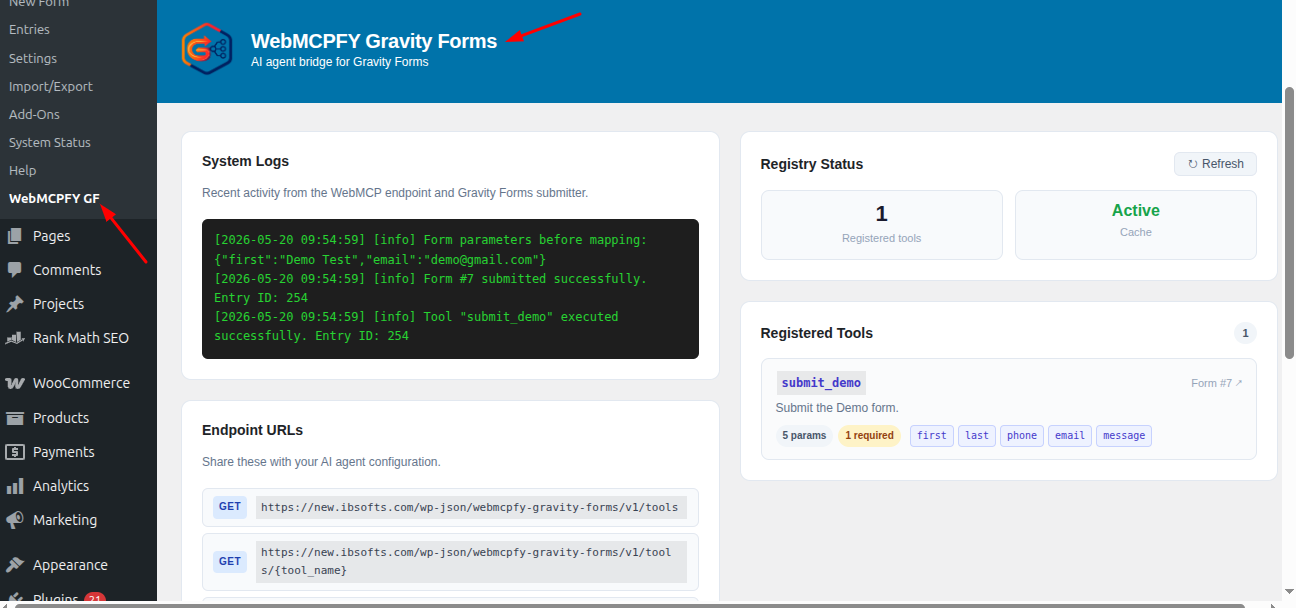
4. You will now see a new WebMCPFY GF menu item in your main Gravity Forms left-hand sidebar.