How To Use
The IBS WebMCP For WPForms is an add-on plugin that instantly makes your existing WPForms's Form accessible to AI assistants (like ChatGPT, Claude, and local browser AI).
Instead of forcing AI to guess how to fill out a web page, this plugin creates a strict blueprint (a "Tool Schema") for your forms. AI agents can read this blueprint, understand instantly what data is required, and securely submit it.
How to Setup the Plugin
Your forms are hidden from AI by default. Follow these steps to selectively expose a form:
1. In your WordPress Admin Dashboard, navigate to WPForms → All Forms to view the list of available forms.
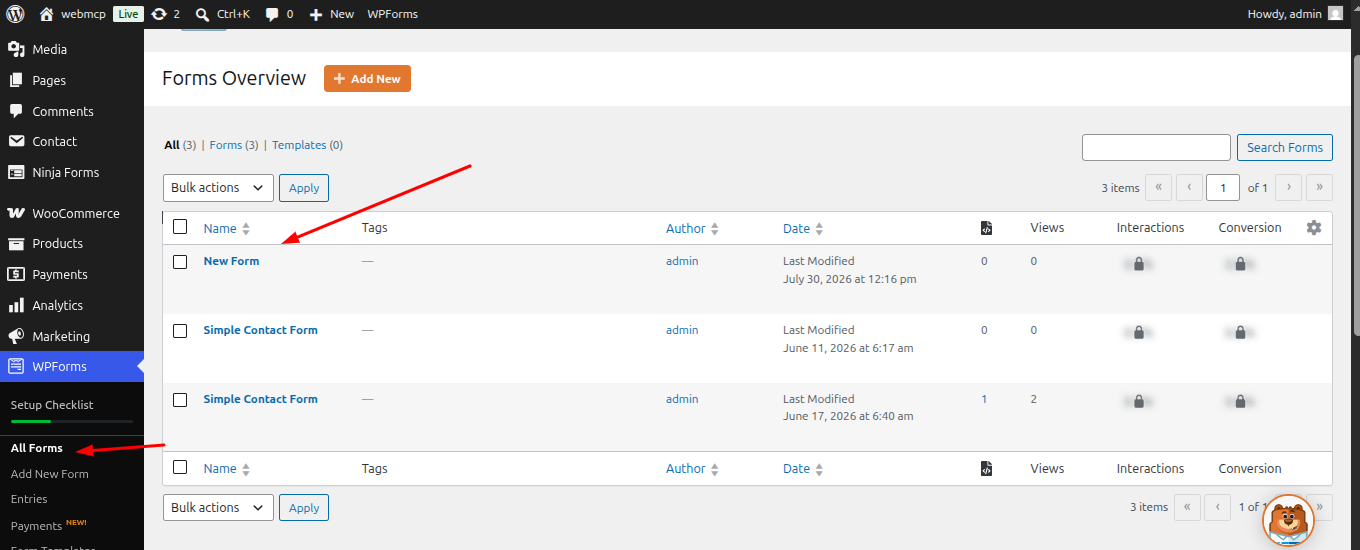
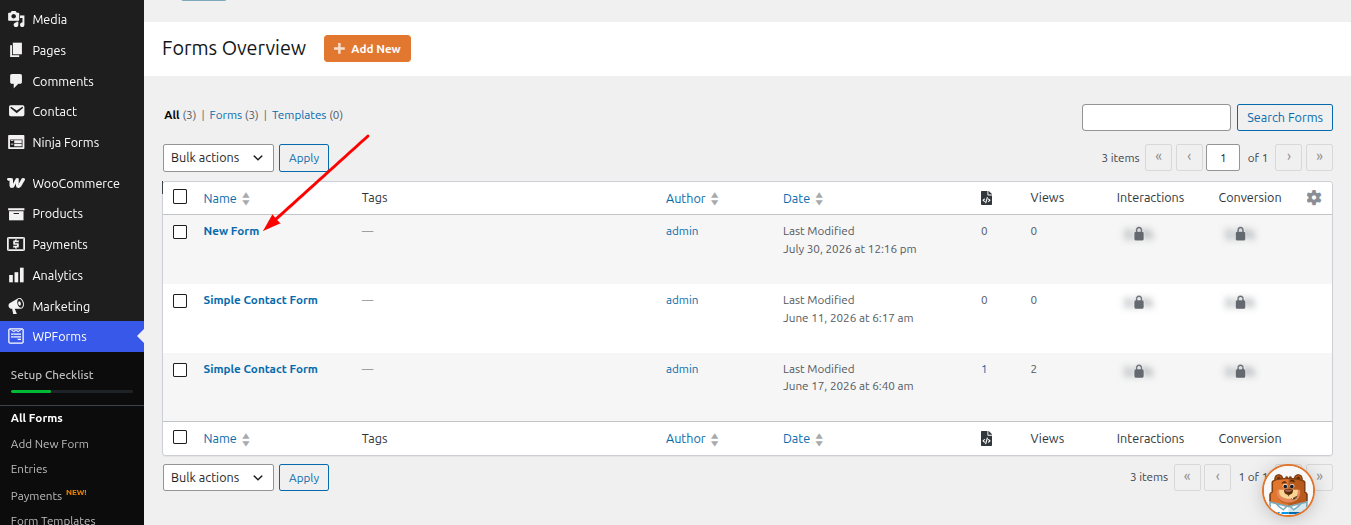
2. Hover over the form you want to configure, then click Edit to open the form editor.
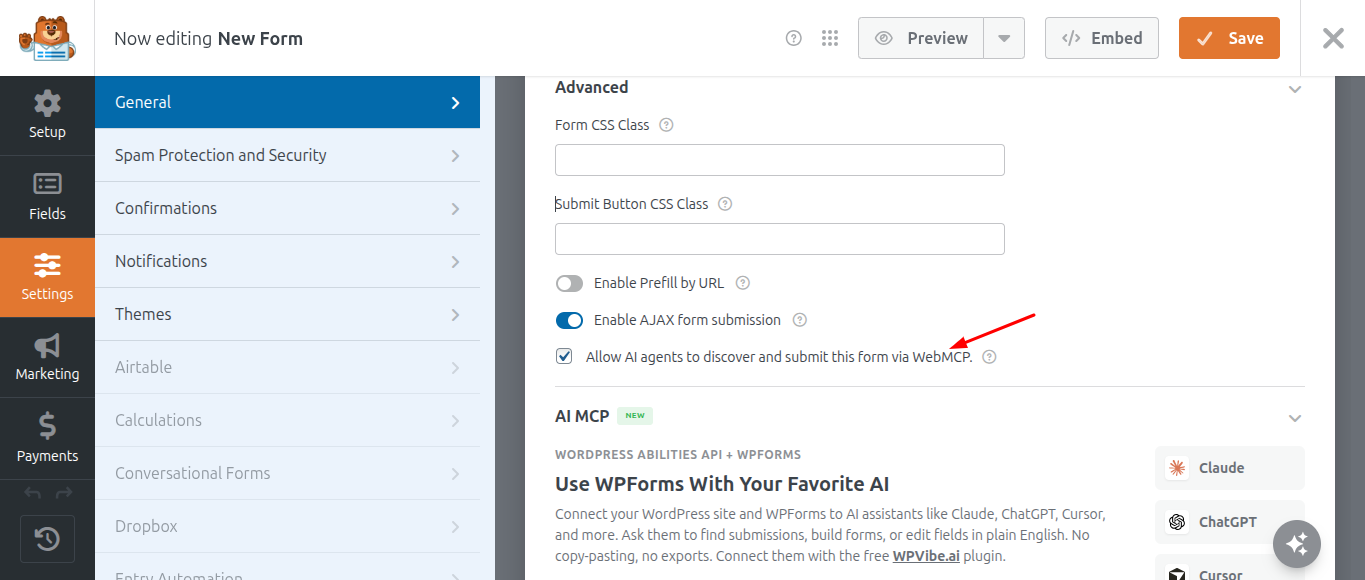
3. Click Settings in the left sidebar. The Advanced section will appear in the right panel. Expand it if necessary.
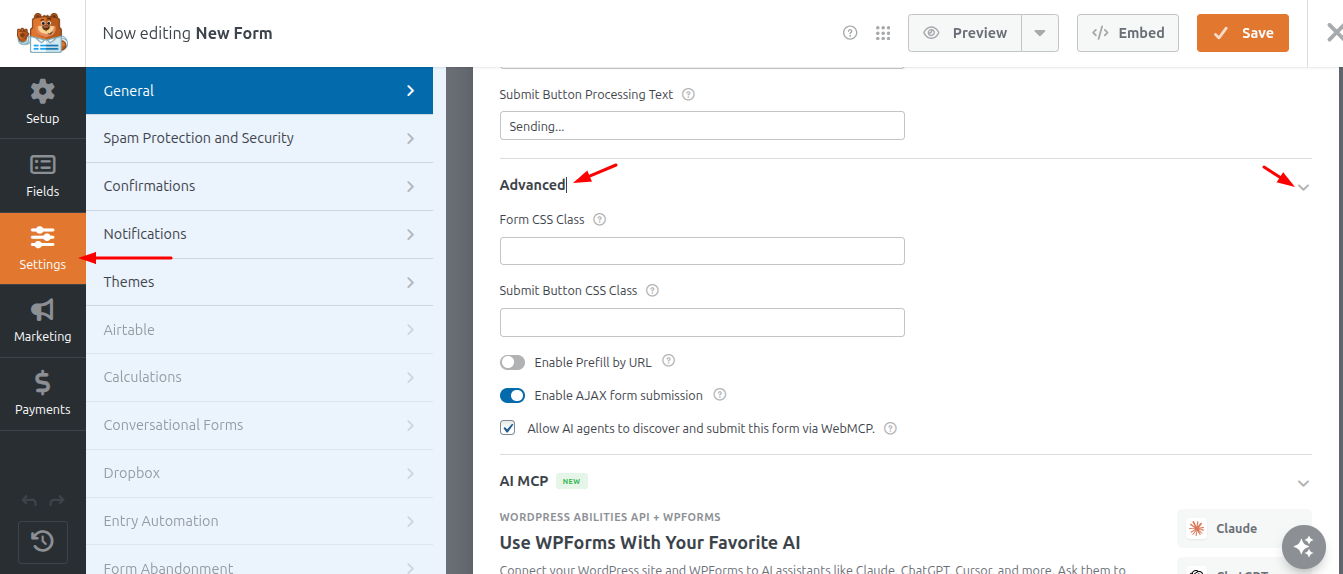
4. Check the "Allow AI agents to discover and submit this form via WebMCP" checkbox to allow AI agents to discover and submit the form through WebMCP.
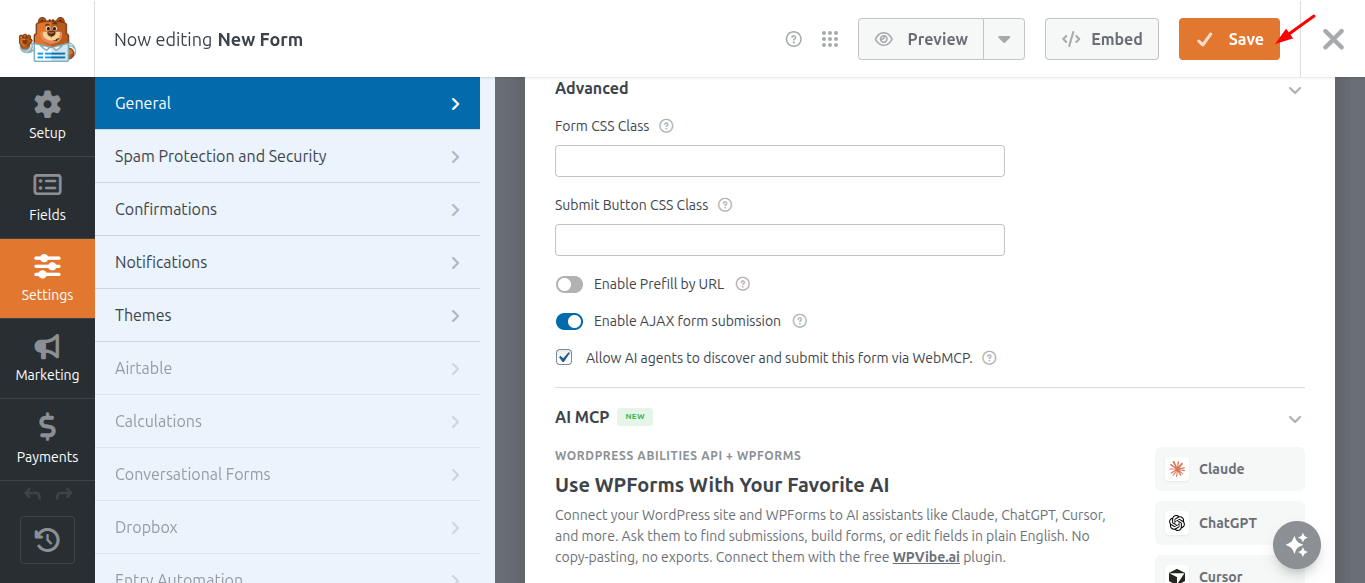
5. Click the Save button to save your changes.
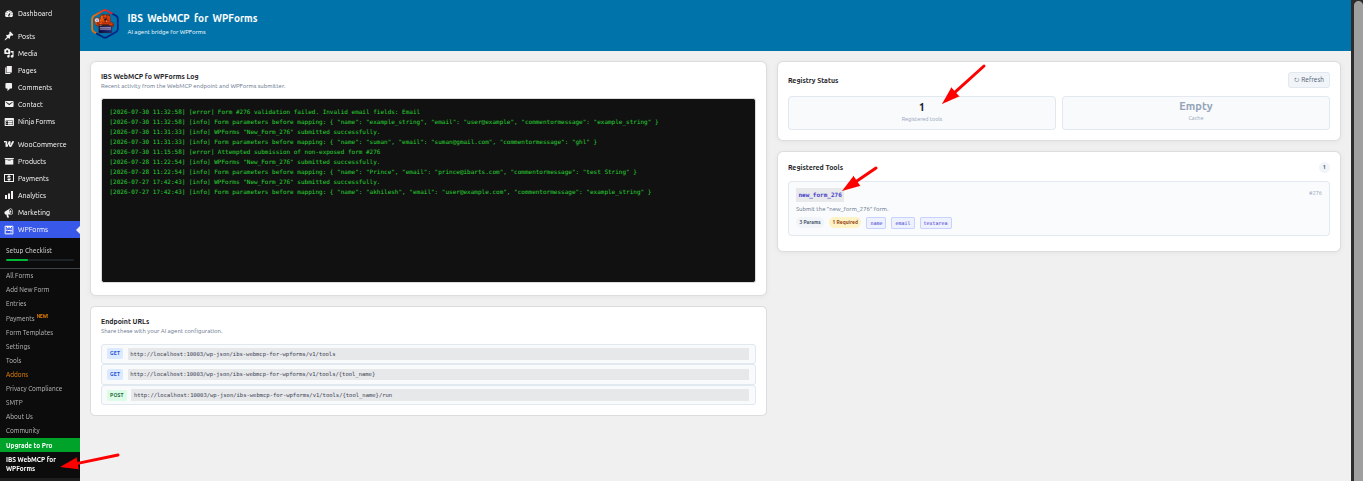
6. The form is now active. To confirm that it is connected, go to WPForms → IBS WebMCP for WPForms in your WordPress dashboard.
Supported Fields
Currently, the plugin safely supports transforming the following standard WPForms field types into AI Tools:
- Name
- Single Line Text (text)
- Paragraph Text (textarea)
Important Security Feature
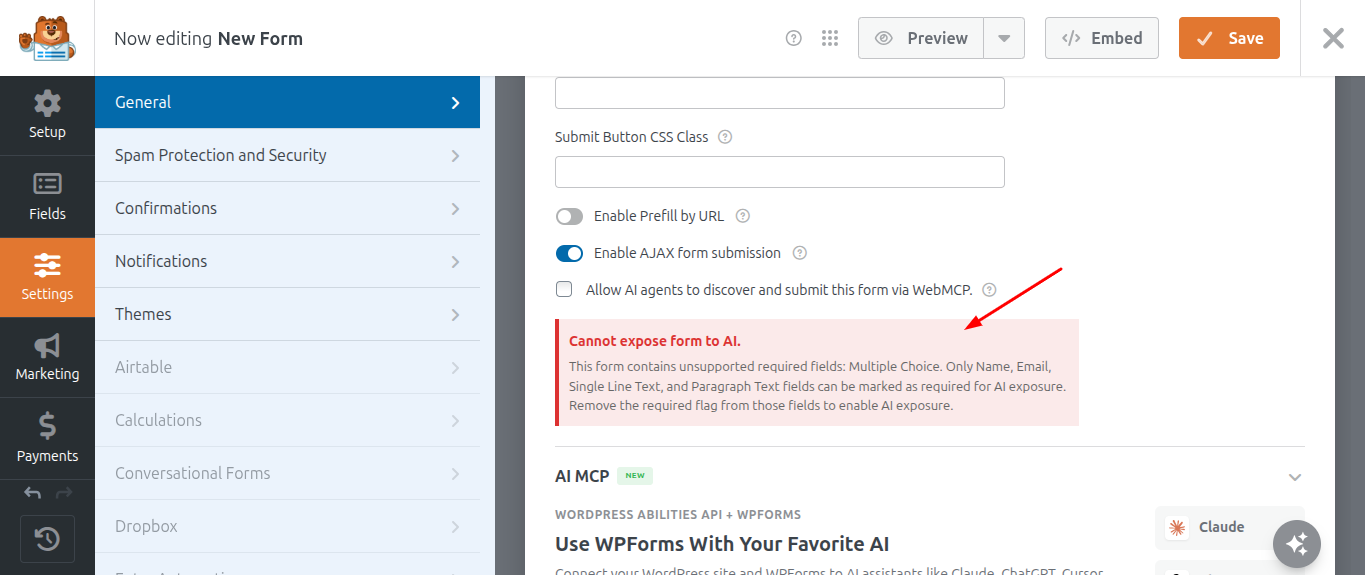
If you expose a form to AI, but that form contains unsupported complex fields (like Checkboxes, File Uploads, or Dropdowns) marked as Required, the plugin will automatically disable AI capability for that form. This is a built-in safety measure to prevent AI agents from failing to submit the form due to complex required data. To fix this, simply remove the "Required" flag from unsupported fields.